81
Start Menu
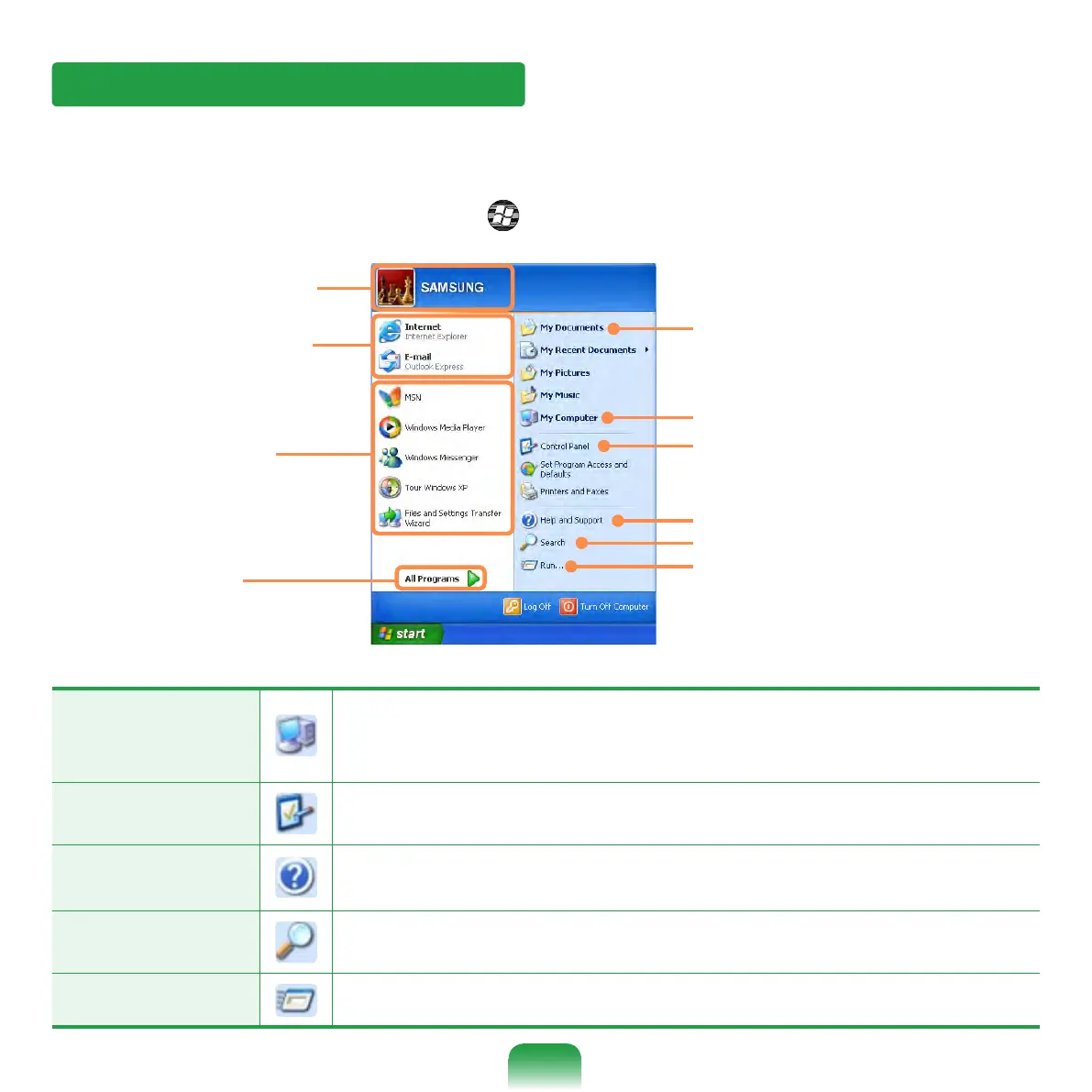
The menu from which you can launch programs.
Click Start. The Start menu appears.
Alternatively, press the Windows key ( ) on the keyboard.
Frequently used
programs
All Programs
My Computer
Control Panel
Help and Support
My Documents folder
Search
Run
Items that are pined
to the Start menu.
User account name
My Computer
Displays the contents of the hard disk, the CD-ROM drive, the
network drive(s), and oppy disks.
It can also be used to search and open les and folders.
Control Panel Enables users to congure settings on the computer.
Help and
Support
Provides on-line help, information on Windows and
troubleshooting.
Search Enables users to search for information in les or the Internet.
Run Run programs or documents.



 To Next Page