Window
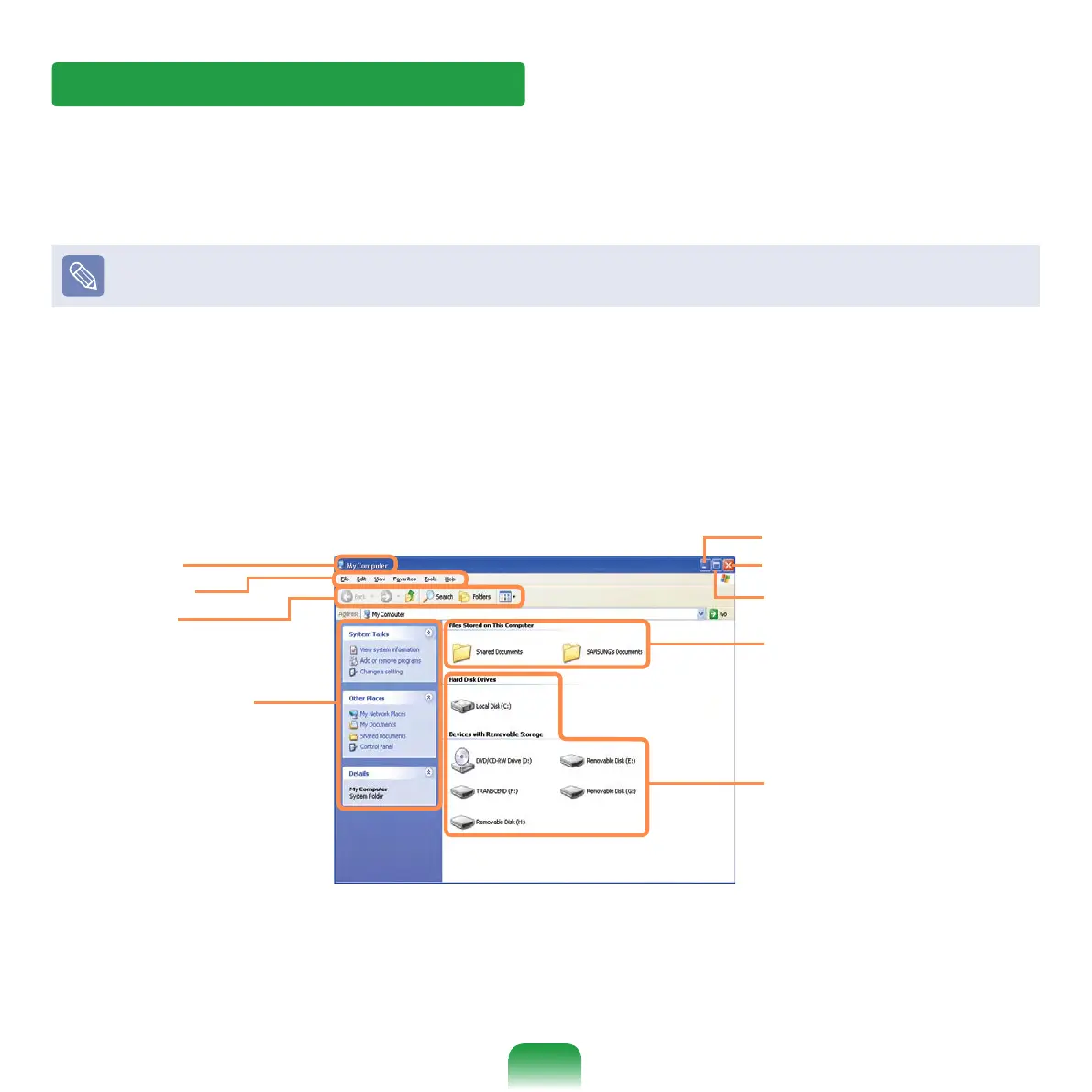
A window is a basic foundation for operating your computer. For instance, a window of
your computer is congured as follows:
Click Start > My Computer.
Displayed menus and names may be varied.
Double-click the Local Disk, which is a hard disk drive, to view the folders and les
saved in your computer.
If any folder or le is not shown, click Show Folder Contents.
Title Bar
Menu Bar
Toolbar
Fast Operation
Window
Folder Icon
Drive Icon (Memory)
Minimize button
Maximize button
Close button



 To Next Page