97
4
Clear ‘Automatically connect to
non-default network’ check box, if
it is selected.Select ‘Computer-to-
computer (ad hoc) networks only’, and
click Close.
5
In the Wireless Networks tab, click
Add.
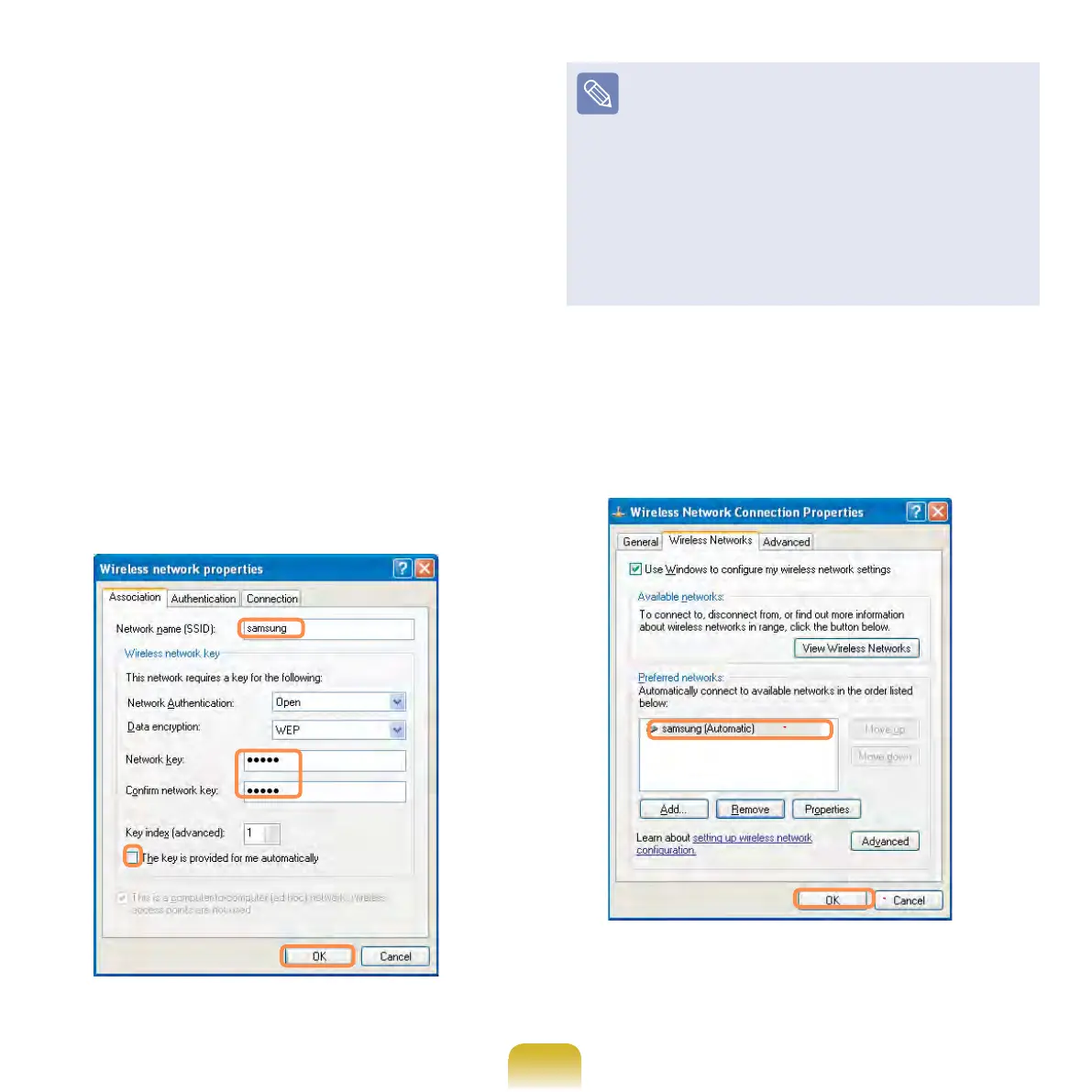
6
Enter the network name (e.g.
samsung), and unselect ‘The key is
provided for meautomatically’. Enter
the encryption key in the Network key
eld, and click OK.
To prevent a network connection
from an unauthorized user, it would
be better to congure a network
key (encryption key). A network key
consists of 5 ~ 13 alphanumeric
characters (e.g. magic), or of 10 ~ 26
hexadecimal numbers (ahexadecimal
number is represented by numbers
‘0’ to ‘9’ or letters ‘a’ to ‘f’).
7
Check that the congured network
name (e.g. samsung) is in the
’Preferred networks’item, and click
OK.



 To Next Page