98
Step 2. Connecting to the
congured computer
1
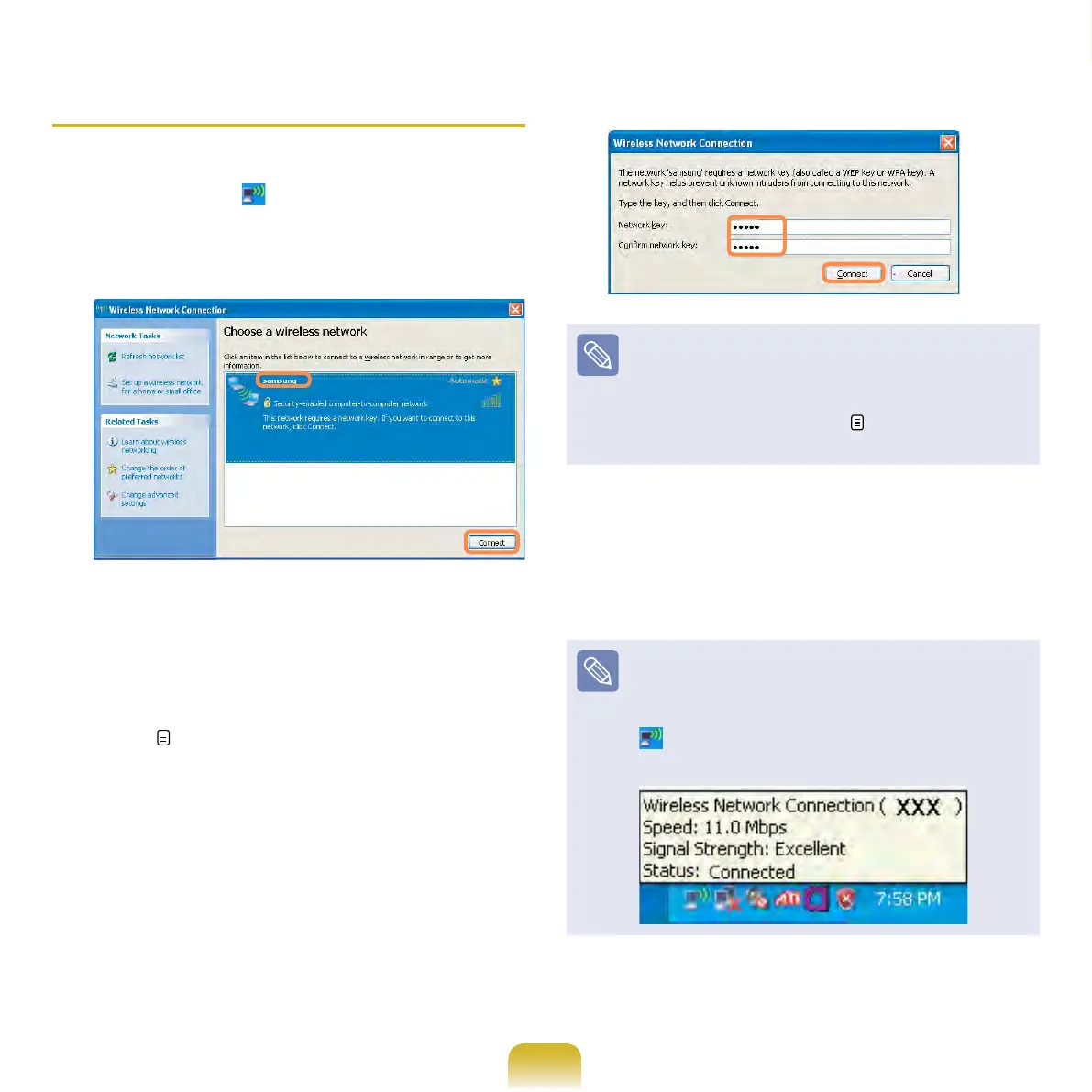
Right-click on the Wireless Network
Connection icon on the taskbar,
and select View Available Wireless
Networks.
2
Select the wireless network
name (e.g. samsung) specied in
”Connecting to computer-to-computer
networks (peer-to-peer or ad hoc)” on
page 80, and click Connect.
3
Enter a cryptographic key in the
network key box and click Connect.
If the network key is not congured
in ”Connecting to computer-to-
computer networks (peer-to-peer
or ad hoc)” on page 96, just click
Connect, without any keystrokes.
When connected to the wireless
network, the system displays
Connected in the selected network of
the Network Connection window.
Checking the connection status
Move the mouse pointer over the
Wireless Network Connection
icon on the taskbar, and the
connection status is displayed.



 To Next Page