Operating basic function _21
DOMESTIC WATER HEATING OPERATION
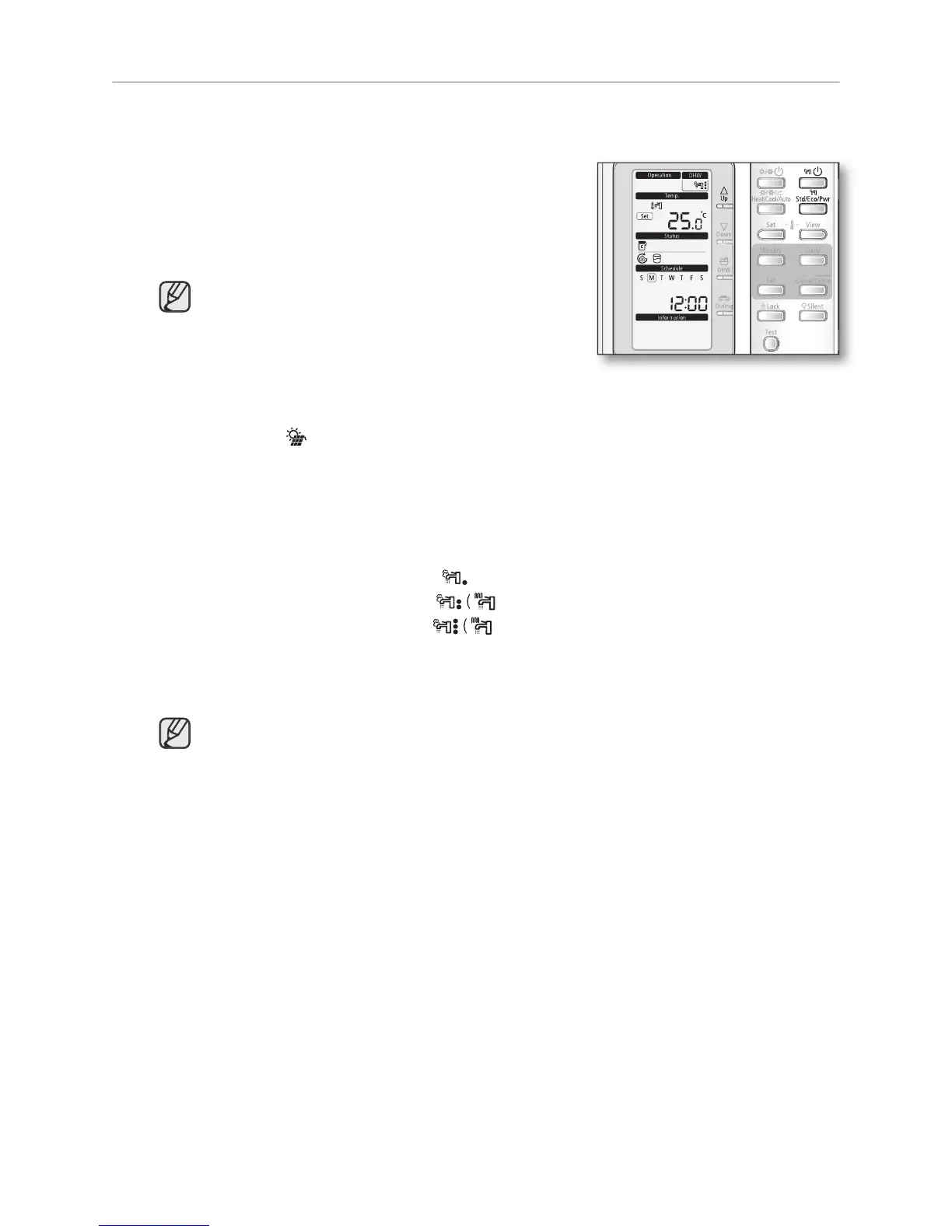
In this mode, domestic water heating will be activated as required by the water temperature set point.
• The set point can be set manually
button to turn on DHW tank.
The priority between heating/cooling/water-law and
DHW modes are depending upon the user’s input of
Field Setting Value of Wired Remote Controller.
The default priority is on the DHW mode.
• This mode can not be used when the DHW tank is
button can be selected at the
• In order to provide domestic hot water throughout the day, it is advised to keep the
domestic water heating operation on continuously.
icon is displayed, hot water is delivered to the DHW tank by the solar
panel. The cooperation between solar panel and heat pump can be determined by
using Wired Remote Controller’s Field Setting Mode.
button until required operating mode is displayed.
The heat pump will run on selected domestic water heating mode.
• Economic domestic water heating
• Standard domestic water heating
• Powerful domestic water heating
button to set the desired temperature.
The temperature can be set between 30ºC to 65ºC.
The temperature is adjusted by 1.0ºC.



 To Next Page