24_ Operating advanced function
Operating advanced function
Operating advanced function
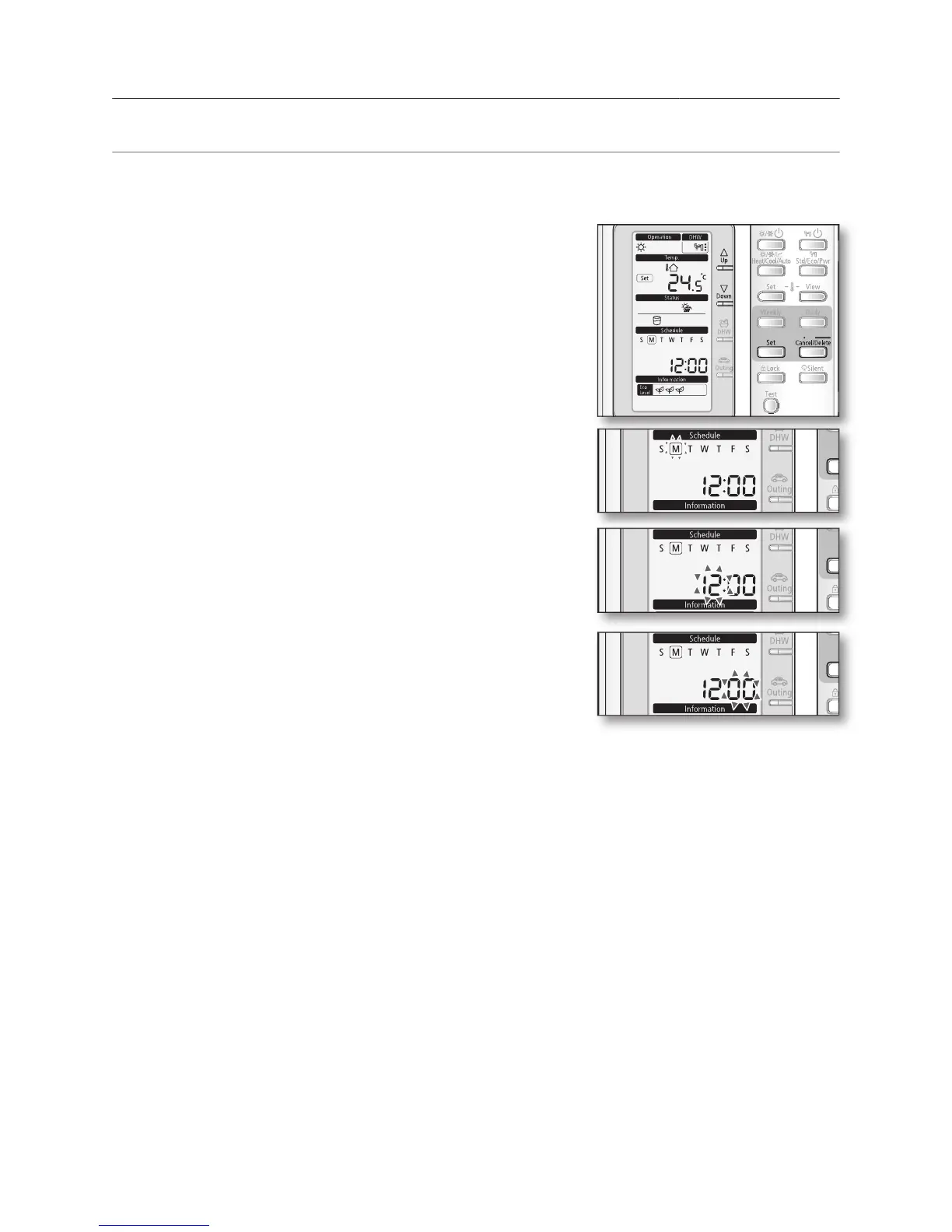
Your hydro unit contains a clock used to start and stop the unit automatically at a given time.
You must set the time when you purchase the hydro unit or reset the main power.
• Mode : Normal operation.
• When setting the time, you can only use
• To cancel the setting, press the
The ‘day’ indicator will blink. Set the day and press
button to save the setting.
The ‘hour’ indicator will blink. Set the hour and press
button to save the setting.
Set the minute by pressing
The ‘minute’ indicator will blink. Set the minute and
button to save the setting.
After setting the minute, the operation returns to normal.





 To Next Page