Operating advanced function _31
Setting the Field Setting Value of wired remote controller
Field setting is for changing the operation schemes of system according with customer’s
Field setting is accessible and programmable by wired remote controller of hydro unit.
Default field setting value and range is on 33~35 pages.
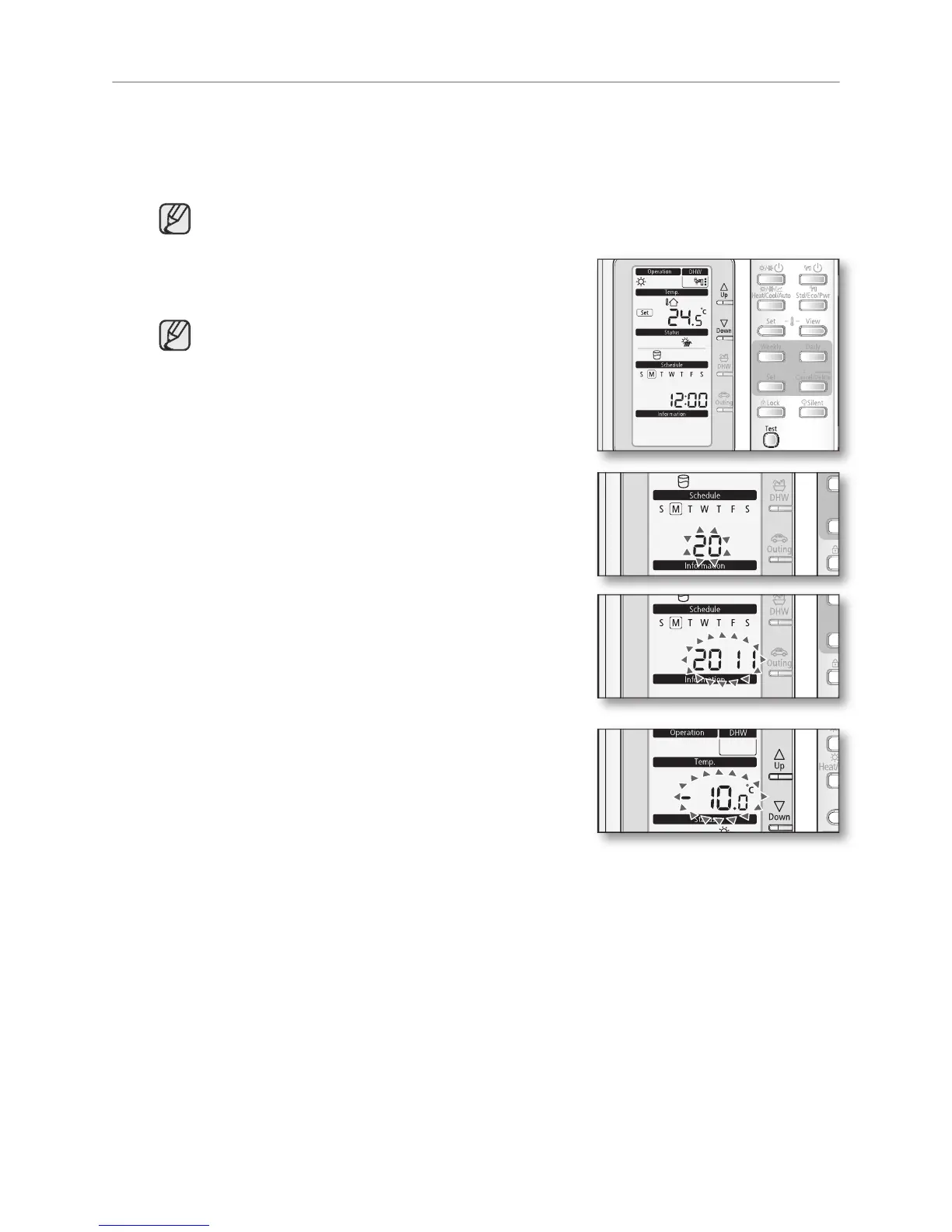
The mode changes to the field setting.
In this mode, you can only use
To cancel the setting, press
Set the Main Menu by pressing
The “Number” will blink. Set the menu number and
button to save the setting.
Set the Sub Menu by pressing
The “Number” will blink. Set the menu number by
button to save the setting.
Set the Operation Range(Field Setting) by pressing
The digits in “Temp” category will blink. Set the Field
Setting Value by pressing
button to save the setting. The LCD will
return to the normal display.



 To Next Page