26
English
X-Rite Color Assistant (Option)
(For systems supporting the Pantone Certificate only)
The X-Rite Color Assistant application allows you to cal-
ibrate the screen for optimum color display.
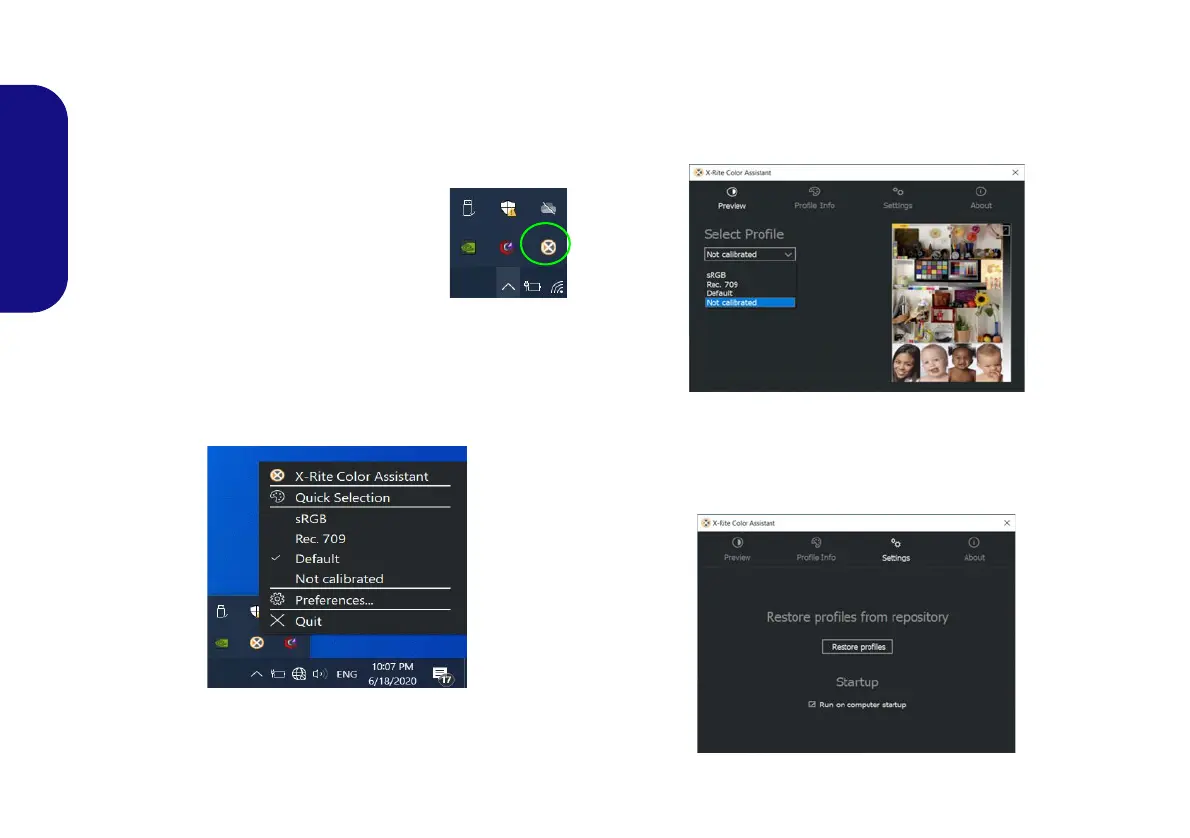
Run the X-Rite Color Assistant app
from the Apps screen to calibrate the
screen (there should also be a desktop
icon), and if running then access the ap-
plication from the icon in the taskbar’s
System Tray.
Right-clicking the taskbar icon will bring up the Quick
Selection menu and you can choose a profile from the
menu.
Figure 20 - Right-Click X-Rite Color Assistant Taskbar
Icon
You can select a Profile to change the screen color, and
you view the difference in the changed screen color from
the picture on the right.
Figure 21 - X-Rite Color Assistant - Preview
The Settings tab can be used to restore customized pro-
files.
Figure 22 - X-Rite Color Assistant - Settings
NV40 MBMEMZ(-D) book.book Page 26 Friday, September 4, 2020 3:55 PM












 To Next Page