
 Need help?
Do you have a question about the Samsung Notebook NV40 and is the answer not in the manual?
This quick guide is a brief introduction. Includes regulatory and safety information.
Intel is a trademark/registered trademark of Intel Corporation. Windows is a registered trademark of Microsoft Corporation.
Advice on preventing damage from drops, shock, moisture, and heat.
Guidelines for when to seek authorized service personnel for repairs.
Instructions for safe use of adapters, batteries, cleaning, and handling.
Information specific to Polymer/Lithium-Ion batteries, including expansion and handling.
Guidance on proper battery disposal and explosion warnings.
Step-by-step guide for initial system setup and power-on.
Information on pre-installed system software and references to Windows 10.
Instructions on how to properly shut down the computer to prevent issues.
Details on how two notebook designs differ in features like video adapters and certificates.
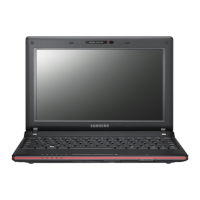
Identifies key components visible from the front with the display open.
Explains the meaning of different LED colors and patterns for system status.
Describes the keyboard layout, numeric keypad, and function keys.
Information regarding the optional keyboard with white LED illumination.
Details on how function keys (F1-F12) act as hotkeys and their visual indicators.
Identifies ports and components on the left and right sides of the computer.
Identifies vents and ports on the bottom and rear of the computer.
Important warnings regarding bottom cover removal and potential overheating.
Instructions on how to launch and use the Control Center application.
Details on Power Saving, Quiet, Entertainment, and Performance modes.
Information on setting fan speed to Maximum, Automatic, or Custom.
Utility for configuring single keys to launch multiple key combinations or text macros.
Options for enabling and configuring keyboard and mouse settings.
How to add, delete, export, and import profiles for custom configurations.
Details on Express Key, Express Text, and Disable key functionalities.
Configure actions for any single key or combination of keys.
Configure actions for mouse buttons like left, right, and middle clicks.
Instructions for configuring single keys to send multiple key combinations.
Instructions for assigning single keys to send strings of text.
Instructions on how to disable unwanted keyboard keys.
How to access and use the LED Keyboard application for illumination control.
Configure the time delay before keyboard LED illumination turns off.
How to adjust the keyboard brightness using the dedicated slider.
Guidance on accessing applications and system features via the Start Menu.
Locating and using the taskbar and its notification area for system access.
Methods to access the Control Panel and system settings for configuration.
Explanation of Intel Integrated GPU and NVIDIA Discrete GPU in different designs.
How hybrid graphics technology optimizes performance and battery life.
Instructions to access Display settings, Intel Graphics Command Center, and NVIDIA Control Panel.
How to connect external displays via HDMI-Out or Thunderbolt 4 ports.
Methods to configure display output using the Windows Project menu.
Steps to configure display settings through the Windows Display control panel.
How to configure audio options using the Windows Sound control panel.
Using the Sound Blaster Cinema 6 application for enhanced audio settings.
How to configure power management features using Power Options in Windows.
Explanation of the system's support for Sleep Mode as Modern Standby.
Guide for installing necessary drivers and utilities from the provided disc.
Instructions on how to check for and install the latest Windows and application updates.
Steps for connecting to and configuring Wireless LAN in Windows.
Steps for pairing and configuring Bluetooth devices in Windows.
Information on the Windows Hello camera and its compatibility with facial recognition.
Step-by-step guide for setting up Windows Hello facial recognition.
Impact of camera status on Windows Hello functionality and power saving.
How to calibrate the screen for optimal color display using the X-Rite application.
Selecting color profiles and using settings to restore customized configurations.
Steps to initialize and activate the TPM security platform via BIOS.
Managing TPM settings through the Control Panel in Windows.
Performing actions like preparing TPM, changing passwords, and clearing TPM.
Solutions for wireless modules and camera not being detected.
Recommendations for improving gaming performance, such as fan speed.
Details on BIOS, Memory, Display Options, Storage, and Pointing Device.
Specifications for Keyboard, Audio, and Security features.
Details on M.2 Slot configurations for WLAN/Bluetooth and SSD.
Details on SD Card Reader, Ethernet LAN, and HD Camera Module.
Information on WLAN/Bluetooth modules and system port interfaces.
Includes features, battery pack, environmental specs, dimensions, and weight.











 To Next Page
 General