14
English
Flexikey® Application
(Design I Only)
The Flexikey® application is a quick hotkey configura-
tion application, which allows you to assign a single key
to launch multiple key combinations, or to create text
macros and to disable certain keys. The application can
also be used to configure the mouse buttons to create
hotkeys for gaming etc.
Click Flexikey in the Control Center to access the
Flexikey® application.
Keyboard and Mouse Settings
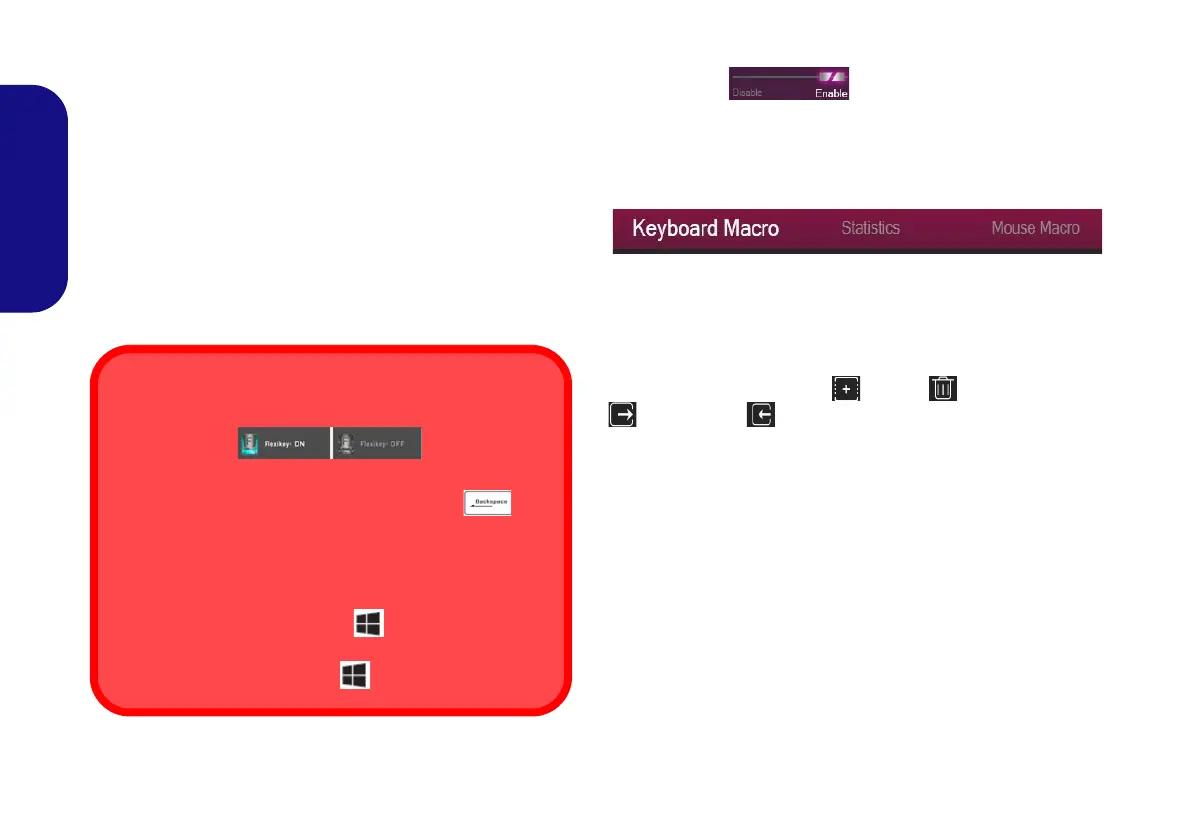
Click Enable (at the bottom right of the ap-
plication window) to create settings for the keyboard and/
or mouse. Clicking on Keyboard Macro or Mouse Mac-
ro will allow you to access the settings page for either the
keyboard or mouse.
Figure 9 - Enable (Keyboard Macro & Mouse Macro)
Profiles
The controls at the top right side of the application relate
to Profiles. You can Add /Delete profiles, Export
and Import profiles by clicking on the appropriate
icon. If you double-click on a profile you can change the
profile name. If you double-click on a profile you can
change the profile name, and change an image file (images
created using PNG files).
Enabling or Disabling the Flexikey® Profile in Use
You can enable or disable any keyboard or mouse profile
functions currently in use by using the Fn + key
combination. Pressing this key combination will toggle you
between the currently selected keyboard or mouse profile
to the standard keyboard and/or mouse settings, and back
again.
Windows Logo Key and P key
Note that you can assign actions to any keyboard key ex-
cept the Windows Logo Key and P key.
NV40 MBMEMZ(-D) book.book Page 14 Friday, September 4, 2020 3:55 PM












 To Next Page