<<
73
>>
Setup menu ( )
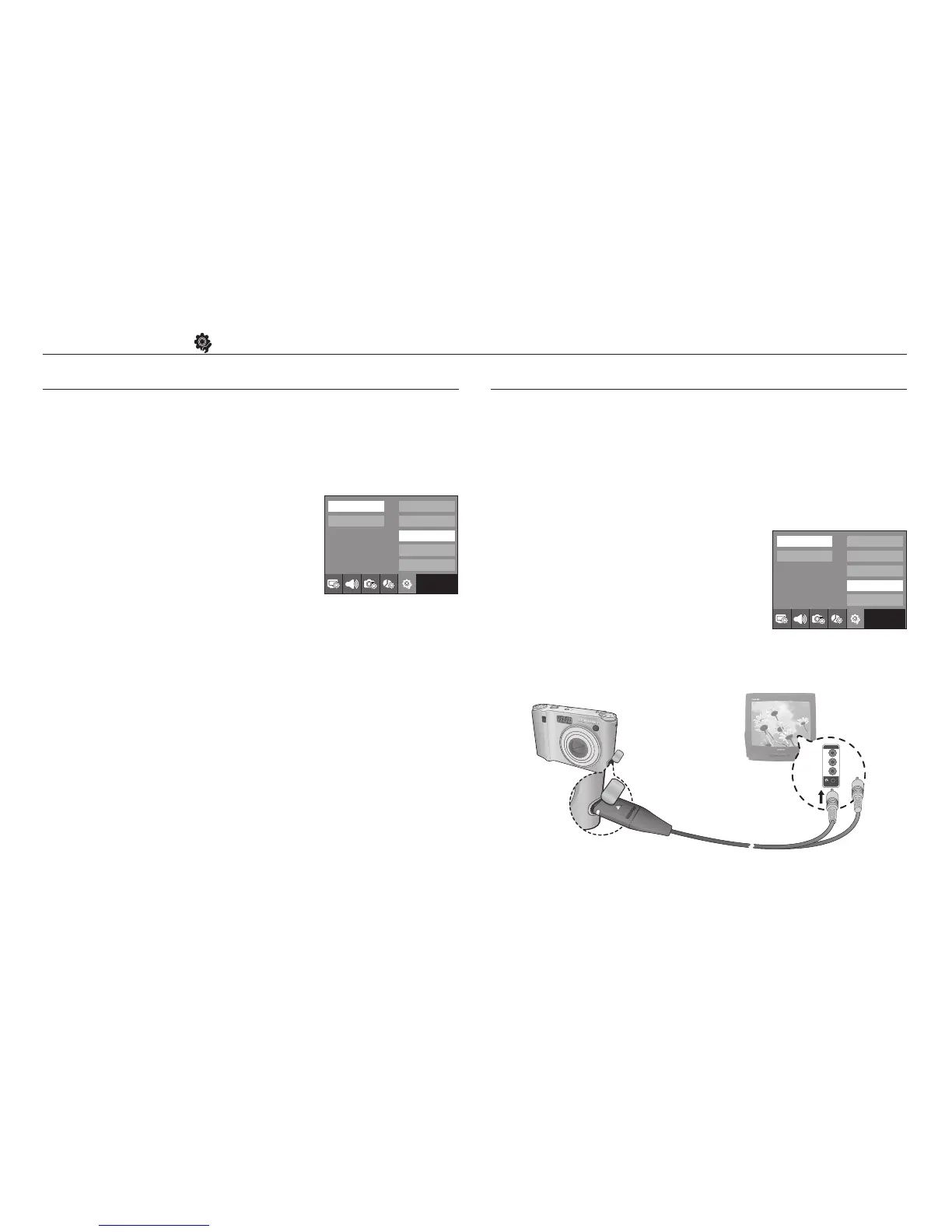
Yellow - Video
White - sound
Language
Date & Time
Reset
Video Out
Power Off
Exit:BACK
No
Yes
Language
Date & Time
Reset
Video Out
Power Off
Exit:BACK
NTSC
PAL
Initialisation
All camera menu and function settings will be restored to their default
values. However, values for DATE / TIME, LANGUAGE, and VIDEO OUT
will not be changed.
- Sub menus
[No] : Settings will not be restored to their defaults.
[Yes] : A confirmation window will be displayed.
Select the [Yes] menu by pressing the
smart button. All settings will be restored
to their defaults.
Selecting Video out type
The Movie output signal from the camera can be NTSC or PAL.
Your choice of output will be governed by the type of device (monitor or
TV, etc.) to which the camera is connected. PAL mode can support only
BDGHI.
■ Connecting to an external monitor
In RECORDING / PLAY mode, you can view
the stored still images or movie clips by connecting
the camera to an external monitor via the AV cable.
When the camera is connected to an external
monitor, the LCD monitor will be turned off
automatically.



 To Next Page