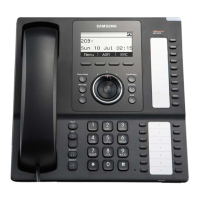
SMT-i5220 IP Phone User Manual
5
ⓒ
SAMSUNG Electronics Co., Ltd.
4
Contents
Precautions for Safety 1
Conventions
...........................................................................
1
Symbols
..................................................................................
1
WARNING
...............................................................................
2
CAUTION
................................................................................
3
Preparations
Components
...........................................................................
8
Installation
..............................................................................
9
Initial Environment Settings for Activation
.......................
11
Easy Installation for activation
...................................................................
11
System Informations
........................................................................................
14
Network setting
..................................................................................................
15
Firmware Upgrade
.............................................................................................
17
System Server setting
.....................................................................................
18
Factory Reset
......................................................................................................
19
Rebooting
..............................................................................................................
19
Ip phone at a Glance 20
Features and functions
.......................................................
20
Part Names and buttons
.....................................................
22
Front view
..............................................................................................................
22
Buttons
...................................................................................................................
23
Status Indicator
....................................................................
25
LCD Screen Layout
..............................................................
25
Part Names and buttons
.....................................................
26
Status Icon descriptions
.....................................................
26
Adjusting the Volume
..........................................................
27
Adjusting the Handset volume
...................................................................
27
Adjusting the speaker volume
....................................................................
27
Adjusting the ringer volume
........................................................................
27
Entering Text
........................................................................
28
Preparations


 To Next Page