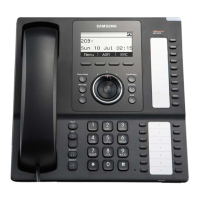
SMT-i5220 IP Phone User Manual
13
In case of 2 Dynamic IP.....
Enter the System IP System ID (Phone
number) Password, and press the Enter[OK]
button.
- The System information inquires to administrator.
End Back
1 Static IP
2 Dynamic IP
3 PPPoE
ⓒ
SAMSUNG Electronics Co., Ltd.
12
Enter the System IP System ID (Phone
number) Password, and press the Enter[OK]
button.
- The System information inquires to administrator.
Del. Back
165.213.80.109
Enter System IP
Del. Back
7942
Enter System ID
Del. Back
Enter Passward
****
Wait for a minute.
[Reboot Phone]
Set DHCP Mode
[Network Setting]
Del. Back
165.213.80.109
Enter System IP
Del. Back
7942
Enter System ID
Del. Back
Enter Passward
****
In case of 3 PPPoE.....
Enter the User ID Password System IP
System ID (Phone number) Password, and
press the Enter[OK] button.
- To change the text input mode press [✽] button repeatedly.
(Refer to 28 page)
- The System information inquires to administrator.
End Back
1 Static IP
2 Dynamic IP
3 PPPoE
Del. Back
Anonymous
Enter User ID
Del. Back
Enter Passward
****
The Unit is reboot automatically.
Wait for a minute.
[Reboot Phone]


 To Next Page