7-2
Chapter 7
Connecting Station Equipment
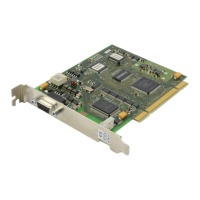
To use an IP phone, you need an MGI card and you should connect the MCP2 card and the MGI
card’s Ethernet ports to the IP network. (Figure 7-2
.)
Wall Mounting OfficeServ500 Keysets
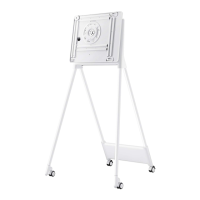
Keysets such as the DS-5012L, DS-5021D and Internet (IP) phones have a support bracket
which slides into the lower left- and right-hand slots on the base of the phone (Figure 7-3
). The
phone can then be mounted on the wall using the mounting holes, as shown. You should also
remove the handset hook (by pushing it forwards), turn it through 180
0
and reinsert it into its
holder. This will support the handset when the phone is mounted.
Wall Mounting DCS (Euro) Keysets
DCS keysets are provided with a reversible base wedge which can be removed and reattached
to allow the keyset to be fitted to a wall. Lay the keyset face down and remove the wedge. Turn
the wedge through 180
degrees
and reattach it to the keyset. Mount the keyset on the wall using
the mounting holes (Figure 7-4
). (You may find it easier to attach the wedge to the wall first be-
fore reattaching the keyset.)
Wall Mounting iDCS Keysets
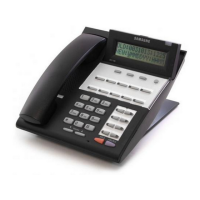
Keysets such as the 28D and 18D have a reversible base wedge which can be removed and re-
attached to allow the keyset to be fitted to a wall. To remove the wedge, lay the keyset face
down, press the sides of the wedge inwards and pull firmly outwards to release it from the retain-
ing clips. Turn the wedge through 180
degrees
and reattach it to the keyset. Mount the keyset on
the wall using the mounting holes 1-3 (Figure 7-5
). (You may find it easier to attach the wedge to
the wall first before reattaching the keyset.)
Add-On Modules (AOM)
The system supports DCS 48-button AOMs, iDCS 64-button AOMs and OfficeServ500 DS-
5064B 64-button AOMs. Up to four AOMs can be connected to a single station. The total number
that can be installed in a system is shown in the table.
48-button AOM 64-button AOM
All Systems ‘L’ Systems ‘M’ & ‘S’ Systems
Up to the number of DLI ports available Maximum of 32 Maximum of 8



 To Next Page