Adjusting the RGB Color (PC Mode)
English - 18
➢
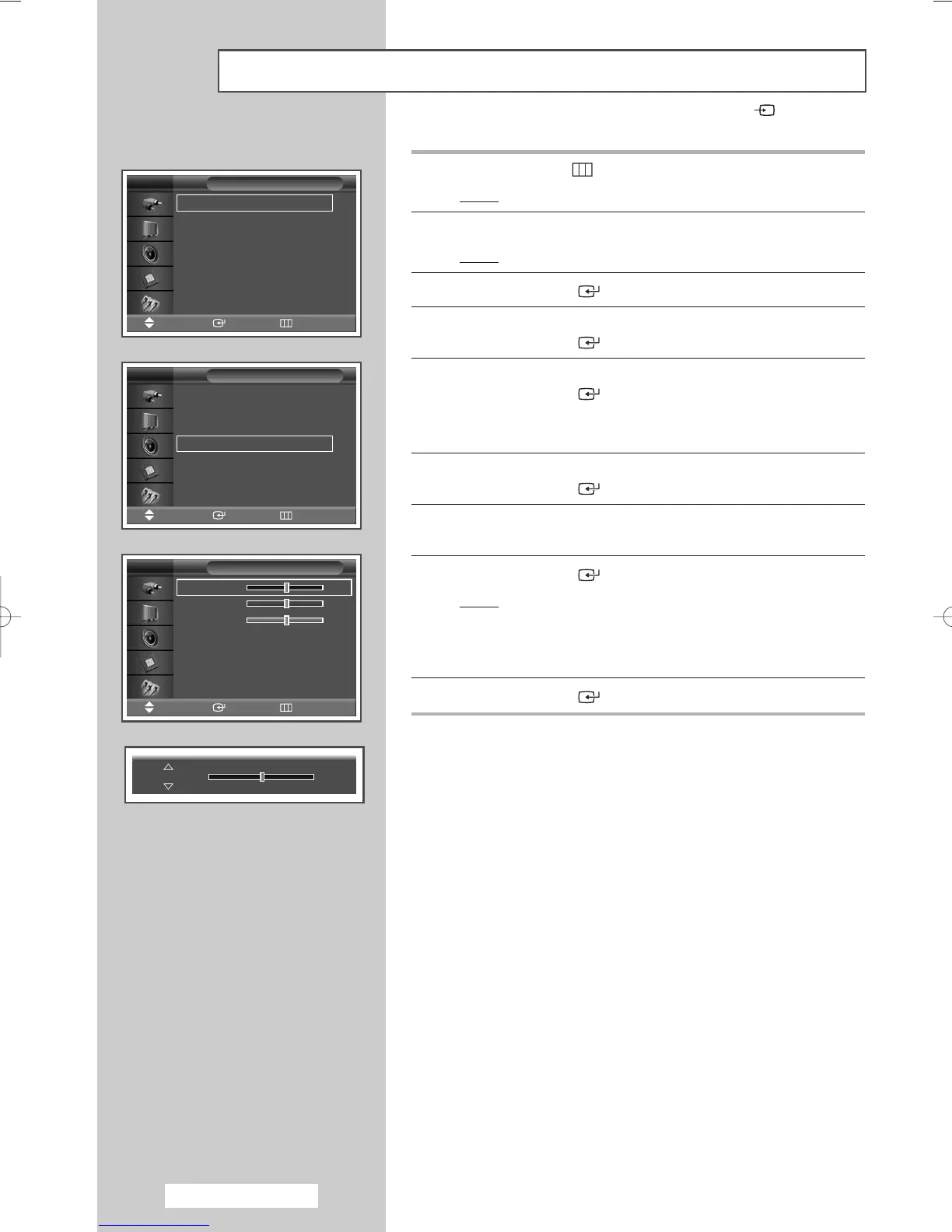
1 Press the MENU ()button.
Result
: The main menu is displayed.
2 Press the … or † button to select Picture.
Result
: The Picture menu is displayed.
3 Press the ENTER () button.
4 Press the … or † button to select Color Tone.
Press the
ENTER () button.
5 Press the … or † button to select Custom.
Press the
ENTER () button.
➢
This feature is not available when the input source is DVI
mode.
6 Press the … or † button to select Color Control.
Press the
ENTER () button.
7 Select the required option (Red, Green, or Blue) by pressing the
… or † button.
8 Press the ENTER () button.
Result
: The horizontal bar is displayed.
Press the œ or √ button until you reach the optimal
setting.
➢
Press the … or † button to select other option(s).
9 Press the ENTER () button.
➢
Preset to the PC mode by pressing the SOURCE () button.
Mode : Entertain
√√
Custom
√√
Color Tone : Custom
√√
Color Control
√√
Film Mode : Off
√√
Size : 16:9
√√
PIP
√√
Picture
Move Enter Return
TV
Mode : Entertain
√√
Custom
√√
Color Tone : Custom
√√
Color Control
√√
Film Mode : Off
√√
Size : 16:9
√√
PIP
√√
Picture
Move Enter Return
TV
Red 50
Green 50
Blue 50
Color Control
Move Enter Return
TV
Red 50
BN68-00848A-00Eng_0406 4/6/05 9:15 PM Page 18


 To Next Page