English - 41
.
.
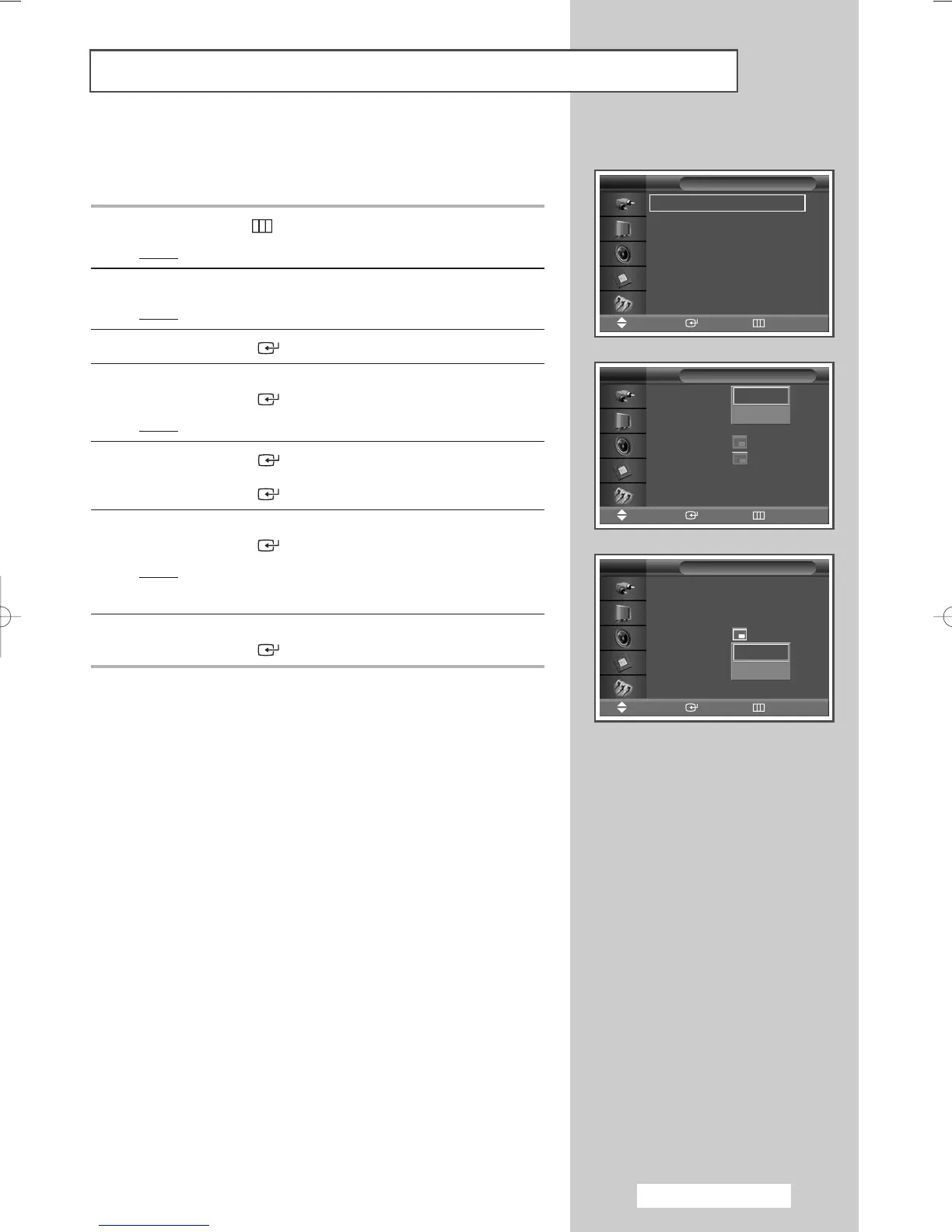
Listening to the Sound of the Sub Picture
While the PIP feature is activating, you can listen to the sound of
the sub picture.
1 Press the MENU () button.
Result
: The main menu is displayed.
2 Press the … or † button to select Picture.
Result
: The Picture menu is displayed.
3 Press the ENTER () button.
4 Press the … or † button to select PIP.
Press the
ENTER () button.
Result
: The PIP is selected.
5 Press the ENTER () button.
To activate, set
PIP to On by pressing the … or † button.
Press the
ENTER () button.
6 Press the … or † button to select Sound Select.
Press the
ENTER () button.
Result
: You can listen to the sound of the sub picture.
➢
To listen the sound of the current main picture, set to Main.
7 Set to sub by pressing the … or † button.
Press the
ENTER () button.
PIP : On
Source : PC1
Swap
Size :
Position :
Sound Select : Main
PIP
Move Enter Return
TV
Main
Sub
Mode : Dynamic
√√
Custom
√√
Color Tone : Normal
√√
Color Control
√√
Film Mode : Off
√√
Size : 16:9
√√
PIP
√√
Picture
Move Enter Return
TV
PIP : Off
Source : PC1
Swap
Size :
Position :
Sound Select : Main
PIP
Move Enter Return
TV
Off
On
BN68-00848A-00Eng_0406 4/6/05 9:16 PM Page 41



 To Next Page