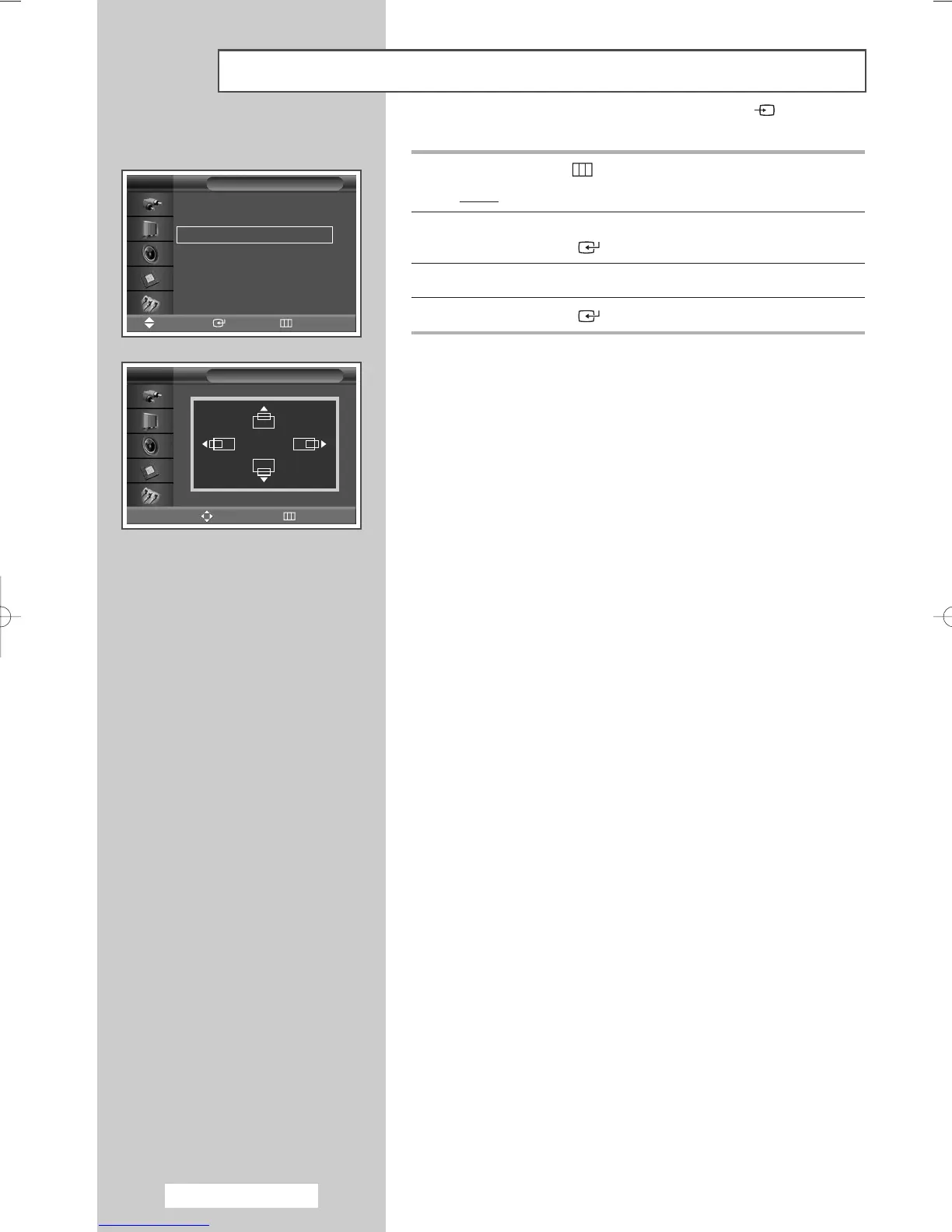
9 Press the MENU ()button.
Result
: The
PC menu is displayed again.
10 Press the … or † button to select Position.
Press the
ENTER () button.
11 Adjust the position by pressing the …, †, œ, or √ button.
12 Press the ENTER () button.
➢
Preset to the PC mode by pressing the SOURCE () button.
English - 20
Setting the Picture (PC Mode) (continued)
Auto Adjustment
√√
Image Lock
√√
Position
√√
Zoom
√√
Information
√√
PC
Move Enter Return
TV
Position
Adjust Return
TV
➢
BN68-00848A-00Eng_0406 4/6/05 9:15 PM Page 20


 To Next Page