11
GB
Programming the Order of Playback
You can decide:
The order in which you listen to the tracks on the discs loaded
Which tracks you do not wish to listen to
You can programme up to 24 tracks.
You must stop the compact disc player before selecting the tracks.
This feature can be combined with the Repeat function.
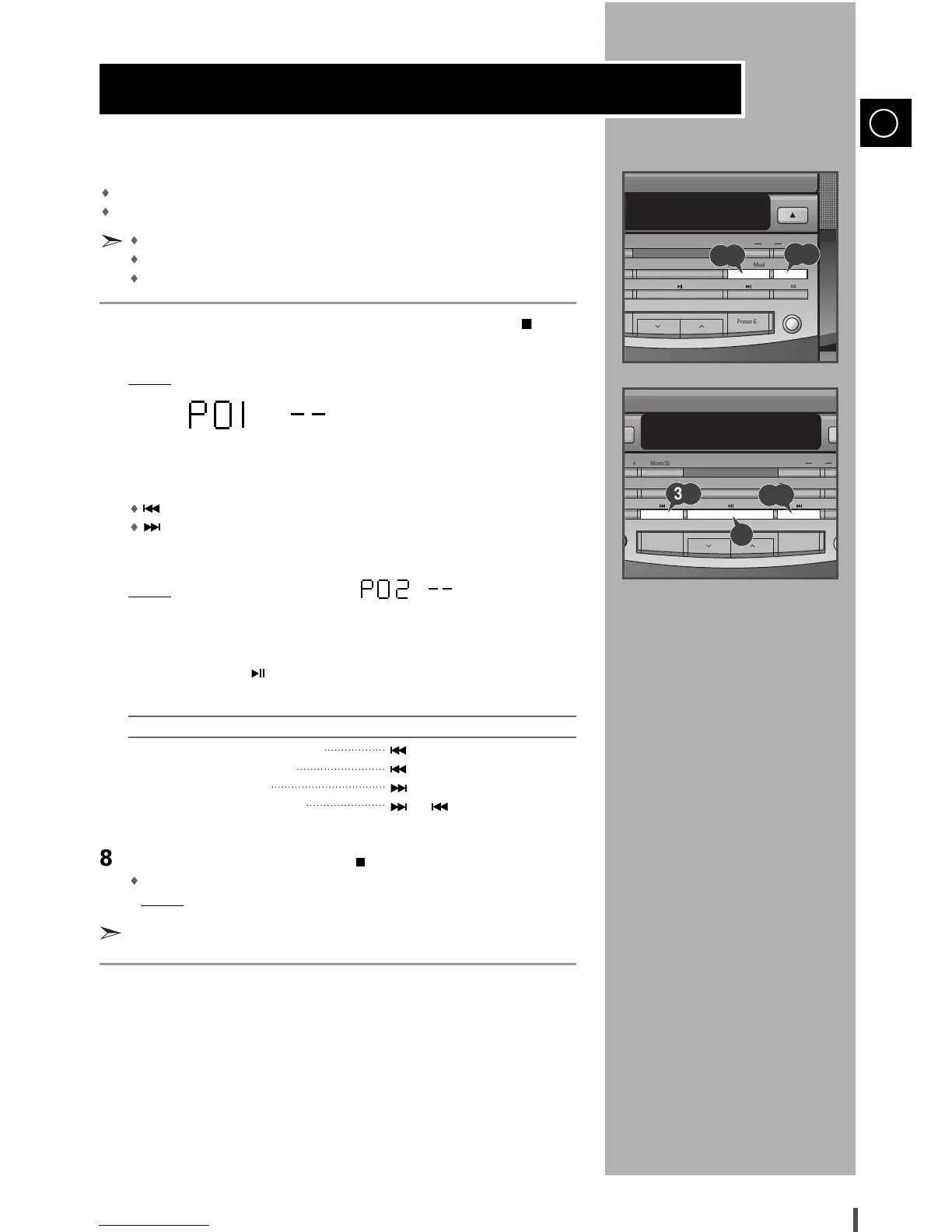
If the CD function is selected, stop the player by pressing Stop ( ).
Press Prog./Set.
Result: The following indications are displayed:
(P01 = Programme No., – – = Track No. on the disc)
Select the required track by pressing:
to move back through the tracks
to move forward through the tracks
Press Prog./Set to confirm your selection.
Result:
The selection is stored and is displayed.
To select other tracks, repeat Steps 3 to 4.
Press Play/Pause ( ) to listen to the track selection in the order
programmed.
To... Press...
Listen to the current track again once
Listen to the previous track twice
Listen to the next track once
Skip forwards or backwards or the appropriate
one or more tracks number of times
To cancel the selection, press Stop ( ).
Once if the compact disc player is stopped
Result: PROGRAM is no longer displayed.
If you open the compartment, the selection is cancelled.


 To Next Page