GB
20
While in the Snooze mode, the volume increases 5 levels every 5
minutes.
Example: This feature can be used for a morning call.
In 30 minutes after the Snooze mode starts, the power turns off
automatically.
Before setting the Snooze, check that the current time is correct.
For each step, you have a few seconds to set the required
options. If you exceed this time, you must start again.
While in the Snooze mode, the other buttons will not work. The
power can be turned off only using the Snooze button.
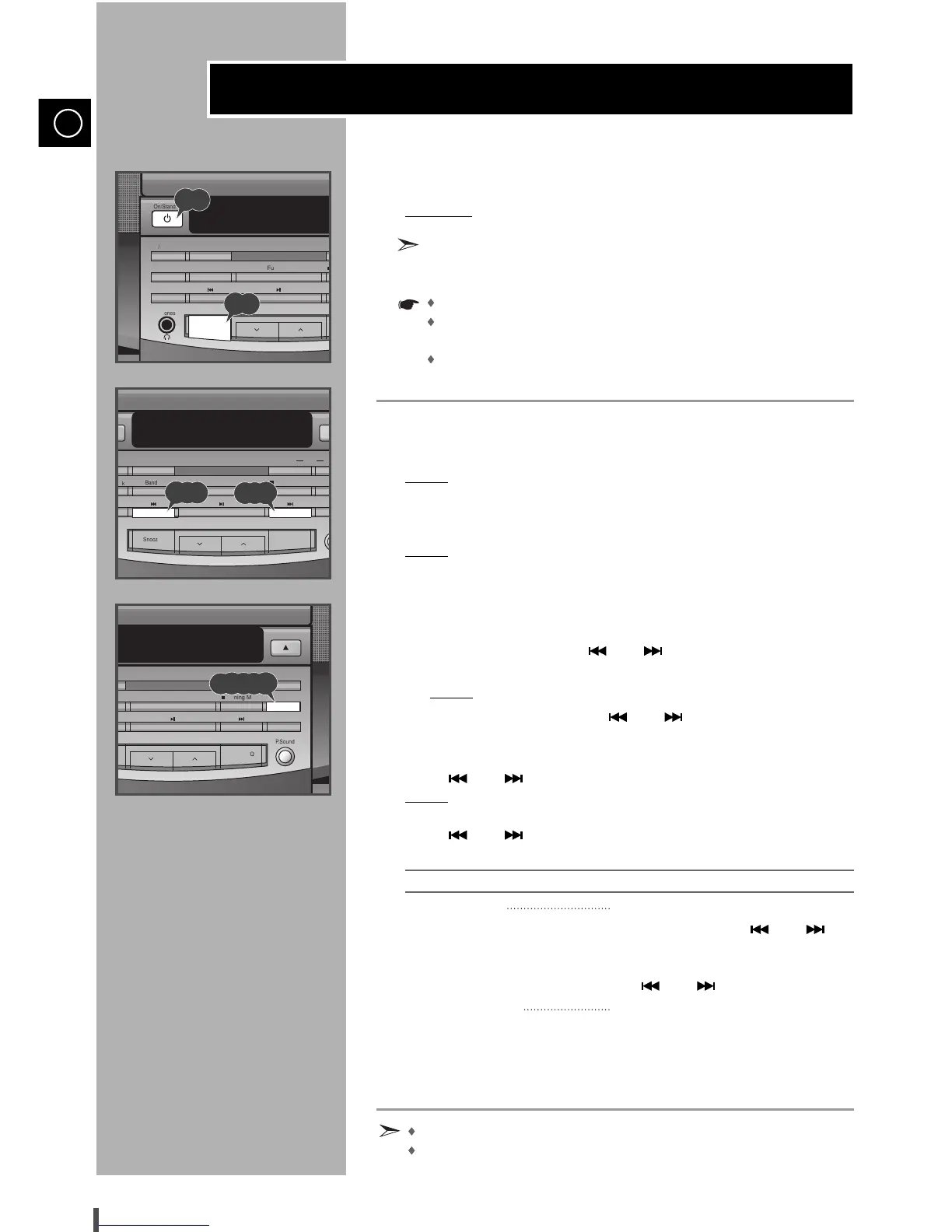
Switch the system on by pressing On/Standby.
Press the Snooze button for 2 sec or longer.
Result:
“SNOOZE” appears on the display and the button light comes on
and flashes.
Press Prog./Set.
Result:
ON TIME is displayed (instead of the equalizer symbols) for a
few seconds, followed by any switch-on time already set; you can
set the timer switch-on time.
Set the snooze switch-on time.
a Set the hour by pressing and .
b Press Prog./Set.
Result:
The minutes flash.
c Set the minutes by pressing and .
d Press Prog./Set.
Press and to adjust the volume level and press Prog./Set.
Result:
The source to be selected is displayed.
Press and to select the source to be played when the system
switches on.
If you select... You must also...
TUNER (radio) a Select the FM or AM frequency
band by pressing and .
b Press Prog./Set.
c Select a preset station by pressing
and .
CD (compact disc) a Load a compact disc.
Press Prog./Set to confirm the Snooze.
Press On/Standby to set the system to standby mode.
The Snooze function cannot be combined with the Timer function.
When the Snooze button is pressed for 2 sec or longer, it is ready
to be set.
Snooze Function


 To Next Page