23
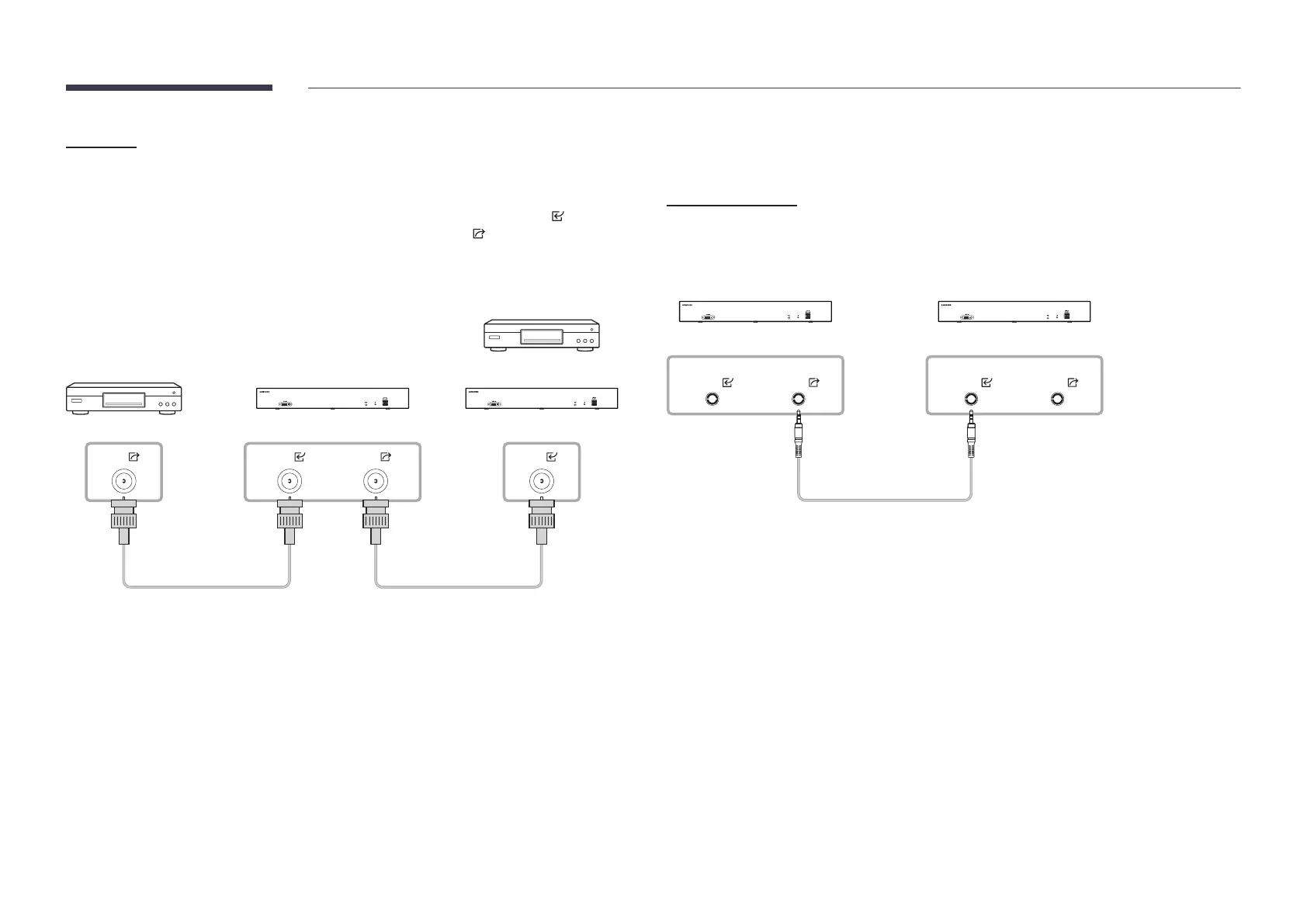
SDI Port
"
SBB-CV4B model only
"
Connecting parts may differ in different products.
Signals are received from an external input device (video device) through SDI , and the
received signals are sent to a different video device through SDI .
"
To receive SDI signals from broadcasting equipment that sends SDI signals, make sure to
connect to the equipment by using an SDI cable that meets the following specifications:
SDI SDISDI
SDI
OR
Connection Using an Aux Cable
HDR DATA Port
"
SBB-CS4B model only
"
Connecting parts may differ in different products.
Perfect Sync timing between S-Box by sharing Master Box’s LED HDR metadata
DATA
HDR
DATA
HDR
DATA
HDR
DATA
HDR
Aux cable









 To Next Page