15
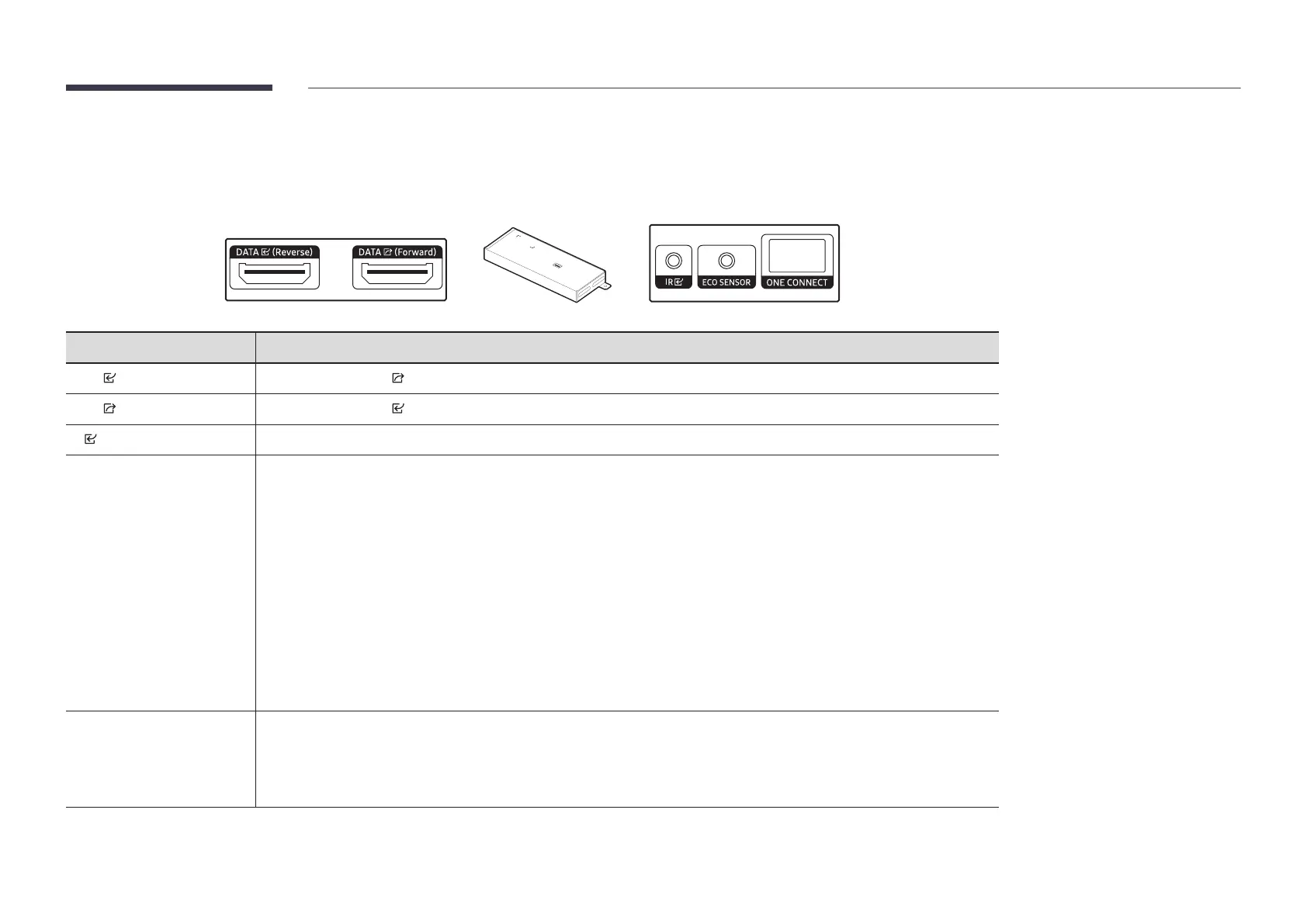
Interface Gender Card (I/G Card)
"
SBB-CV4B / SBB-CS4B model only
"
The colour and shape of parts may differ from what is shown. Specifications are subject to change without notice to improve quality.
Parts Description
DATA (Reverse)
Connects to the DATA port on the last cabinet using an OCM cable.
DATA (Forward)
Connects to the DATA port on the first cabinet using an OCM cable.
IR
Connects to an external IR cable that receives signals from the remote control.
ECO SENSOR
Connects an external ambient light sensor to the ECO SENSOR port.
Automatically recognises the ambient brightness and adjusts the brightness of the cabinet connected to the I/G card.
To turn off this function, set Eco Sensor to Off at SystemEco Solution.
"
The ECO SENSOR port is only available for SBB-CS4B.
"
Only one external ambient light sensor is provided. (SBB-CS4B model only) The external ambient light sensor operates
with only one of multiple I/G cards.
Even if multiple I/G cards are connected, external ambient light sensor operates with only the one I/G card connected
at the top.
"
After connecting to or disconnecting from the ECO SENSOR port on the I/G card, reboot S-Box.
"
Note that the cabinet may be subject to shadows or light interferences depending on the installation position.
"
The external ambient light sensor is marked with the label on the sensor cable.
ONE CONNECT
Use to connect the optical cable with the ONE CONNECT (Group 1, Group 2, Group 3, Group 4) port after connecting the
optical RX module for the I/G card.
"
See “Connecting a Optical Cable” in “Connecting and using devices”
"
The optical cable is not provided.









 To Next Page