13
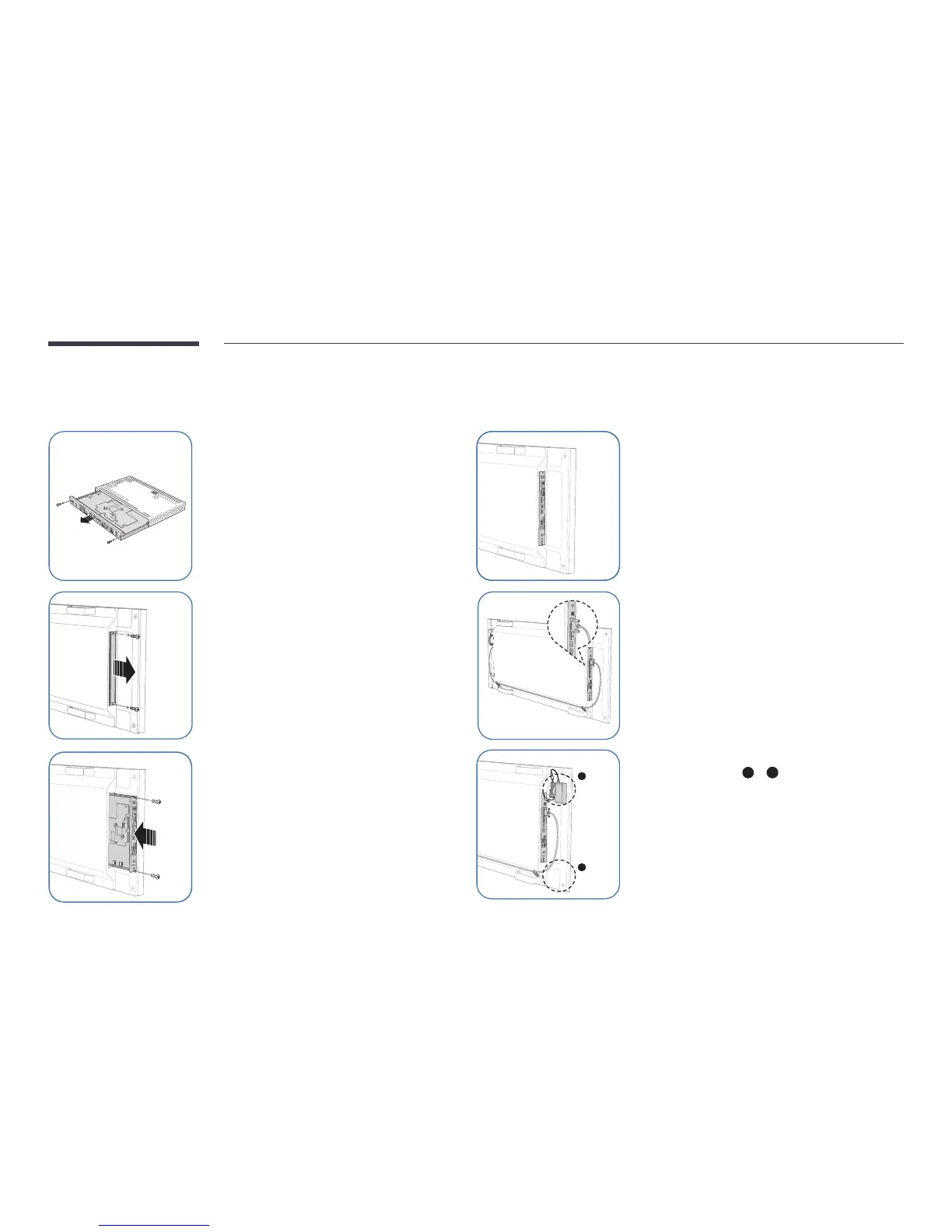
Attaching the Signage Player Box
Check the correct attachment area for the Signage Player Box on the back of the display device.
1
Uncover the Signage Player Box.
2
Uncover the area where the
Signage Player Box will be attached
on the back of the display device.
3
Push the Signage Player Box in the
arrow's direction, then fix the Box
using screws.
4
The Signage Player Box should be
installed as shown.
5
Use the HDMI-DVI cable to connect the
Signage Player Box to the display device.



 To Next Page