26
Connecting to a PC
•
Do not connect the power cable before connecting all other cables.
Ensure you connect a source device first before connecting the power cable.
•
A PC can be connected to the product in a variety of ways.
Select a connection method suitable for your PC.
―
Connecting parts may differ in different products.
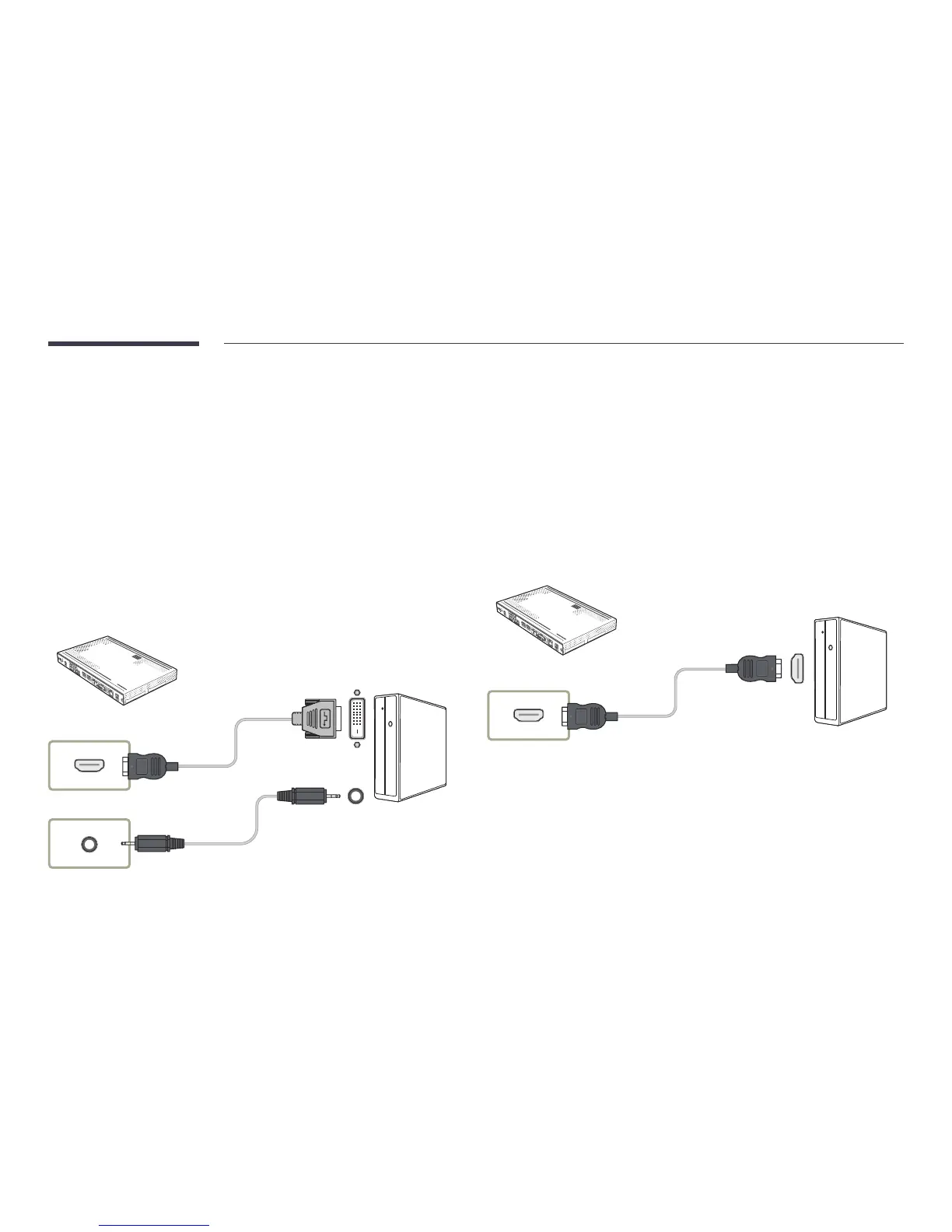
Connection Using an HDMI-DVI Cable
After connecting a computer to the product with an HDMI-DVI cable, make sure to configure the settings
as shown below to enable the video and audio from the computer.
•
Sound
→
set HDMI Sound to PC(DVI)
•
Picture
→
set each screen mode to Text under Picture Mode
•
System
→
General set HDMI Hot Plug to Off
HDMI IN 1 , HDMI IN 2
AUDIO IN
Connection Using an HDMI Cable
HDMI IN 1 , HDMI IN 2



 To Next Page