67
•
PIP (Off / On): Activate or deactivate the PIP function.
•
Source: You can select a source of the sub picture.
•
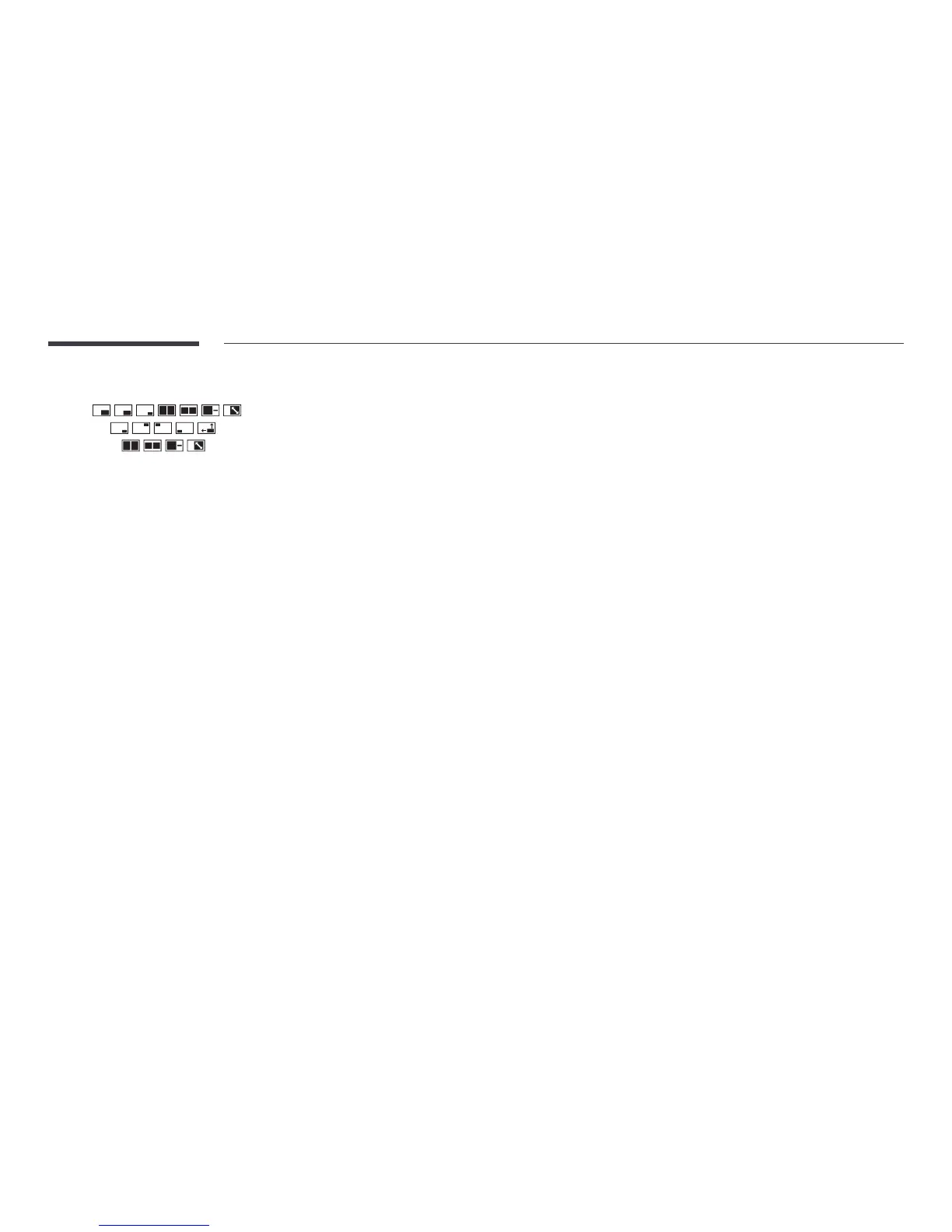
Size (
, , , , , , ): Select a size for the subpicture.
•
Position (
, , , , ): Select a position for the sub-picture.
―
In double ( , , , ) mode, you cannot select Position.
•
Sound Select (Main / Sub): You can choose to listen to the sound from the Main picture or the
Sub picture.
Display Orientation
MENU m → OnScreen Display → Display Orientation → ENTER E
Onscreen Menu Orientation
Set the menu screen orientation.
•
Landscape: Display the menu in landscape mode (default).
•
Portrait: Display the menu in portrait mode on the right side of the product screen.
Source Content Orientation
Set the orientation of content from external devices connected to the product.
•
Landscape: Display the screen in landscape mode (default).
•
Portrait: Display the screen in portrait mode.
―
If PIP is set to On, Source Content Orientation is disabled.
Aspect Ratio
Set the rotated screen to be either full screen or original.
•
Full Screen: Display the rotated screen in full screen.
•
Original: Display the rotated screen in the original aspect ratio.
―
Available only when Source Content Orientation is set to Portrait.
―
If PIP is set to On, Aspect Ratio is disabled.



 To Next Page