Basics
23
Using Multi Window
Use this feature to run multiple applications on the screen at the same time.
•
Only applications on the Multi Window tray can run.
•
This feature may not be available depending on the region or service provider.
To use Multi Window, on the Home screen, tap
Apps
→
Settings
→
Display
, and then tick
Multi window
.
Using a split screen Multi Window
Use this feature to run applications in a split screen.
Launching applications in a split screen Multi Window
1
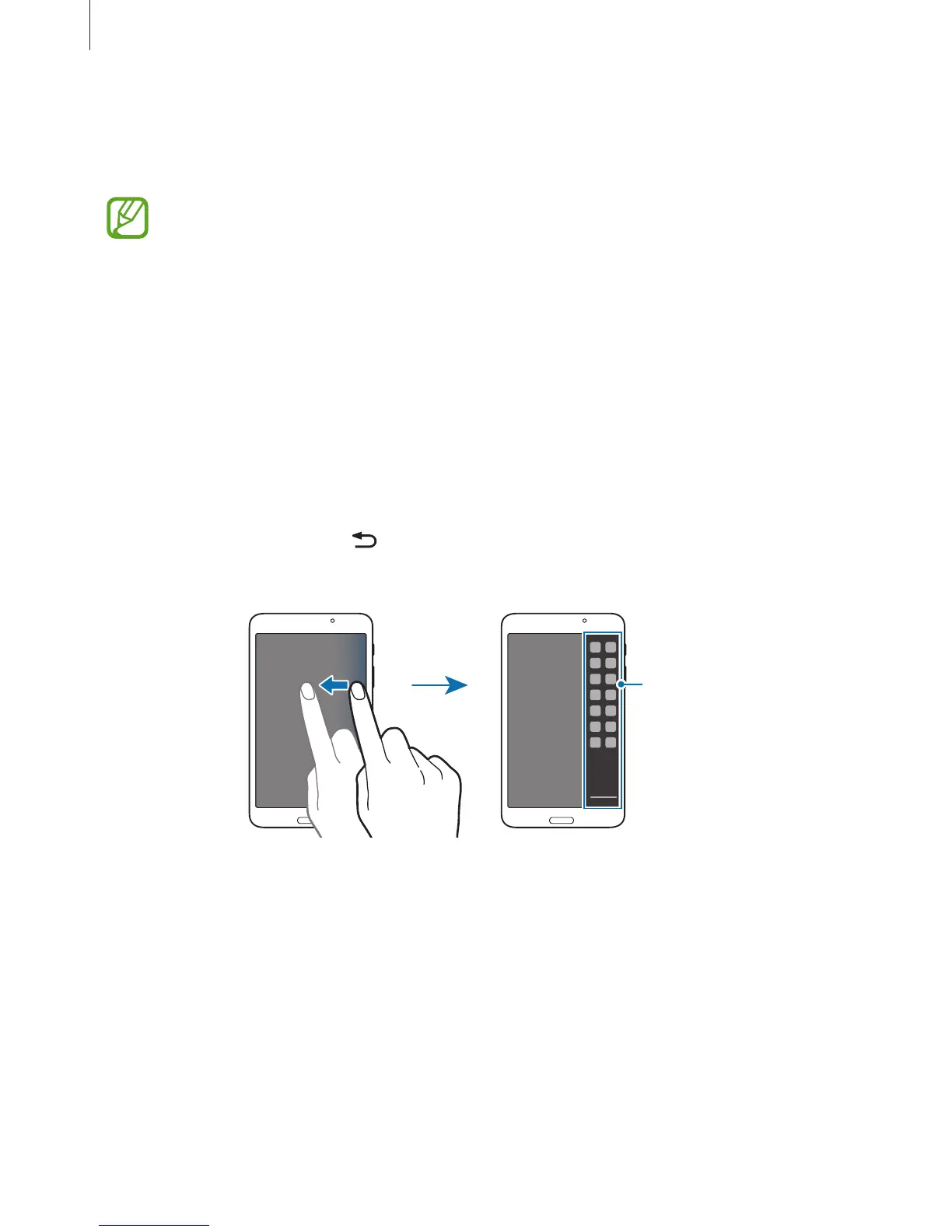
Drag your finger from the right edge of the screen towards the middle of the screen.
Alternatively, tap and hold
.
The Multi Window tray appears at the right side of the screen.
Multi Window tray












 To Next Page