Utilities
89
POLARIS Office 5
Use this application to edit documents in various formats, including spreadsheets and
presentations.
Tap
POLARIS Office 5
on the Applications screen.
Some functions may not be available, depending on the file type.
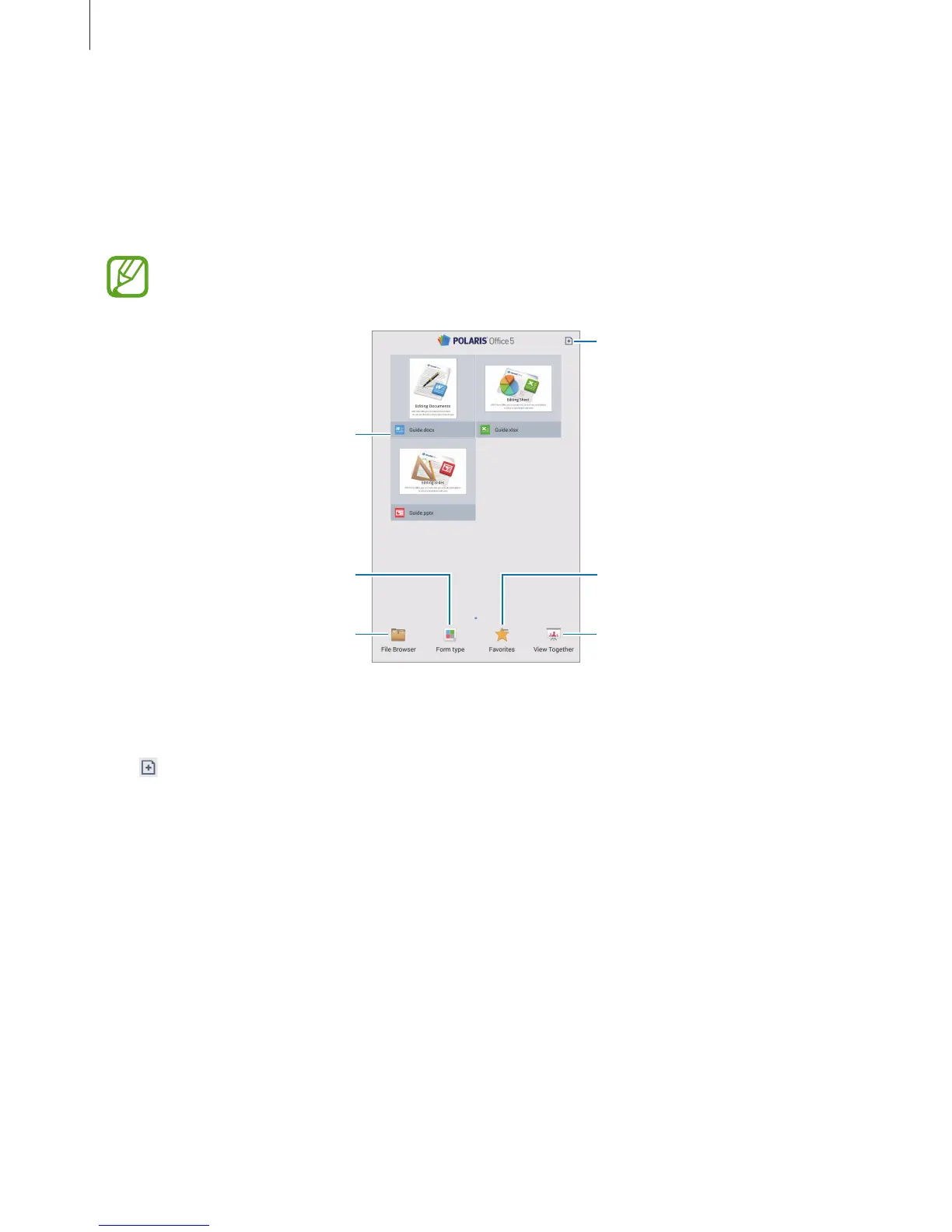
Create a document.
View favourite documents.
Share documents with others.
View recent documents.
Browse folders.
Browse by document formats.
Creating documents
Tap , and then select a document type.
Use the editing toolbar at the top of the screen to edit the document.
To finish, tap the document icon at the top left of the screen, tap
Save
, enter a filename, select
a folder to save to, and then tap
Save
.












 To Next Page