Media
74
Paper Artist
Use this application to make images look like illustrations with fun effects or frames.
Tap
Paper Artist
on the Applications screen.
Use artistic tools to edit an image. The edited image is saved in the
Gallery
→
Paper Pictures
folder.
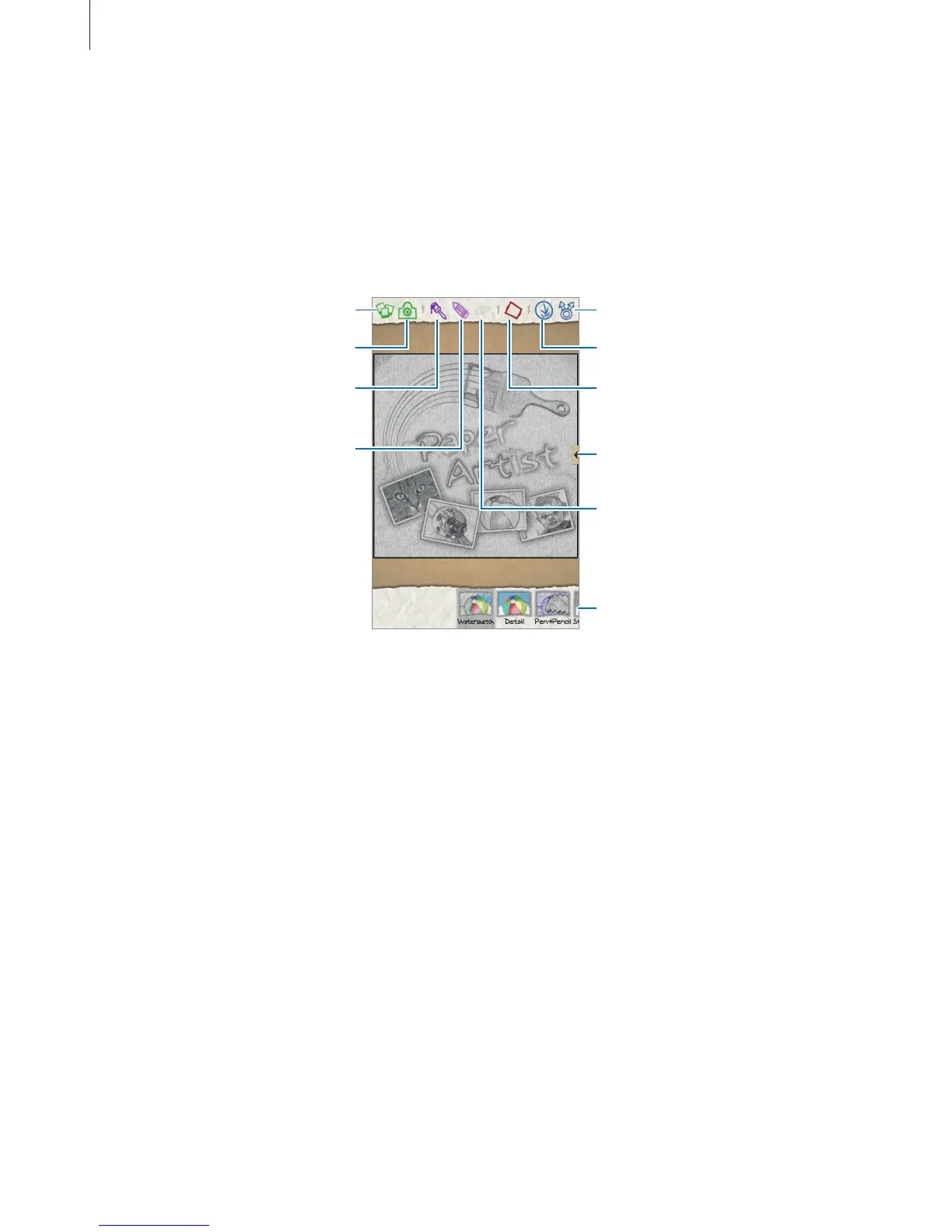
Select an existing image. Share the image.
Apply effects to the image.
Draw with a pen. Tap to change
the pen thickness.
Take a photo.
Draw with a brush. Tap to
change the brush thickness.
Save the image.
Apply frames to the image.
Erase the drawings. Tap to
change the eraser size.
Access additional options.












 To Next Page