Communication
48
Sending messages
In any mailbox, tap , enter recipients, a subject, and a message, and then tap
SEND
.
Tap
+CC/BCC
to add more recipients.
Tap
→
Attach file
to attach images, videos, music, and others.
Tap
→
Discard
to start over.
Tap
→
Settings
to change the Google Mail settings.
Tap
→
Send feedback
to report your opinions for application development.
Tap
→
Help
to access help information for the Google Mail.
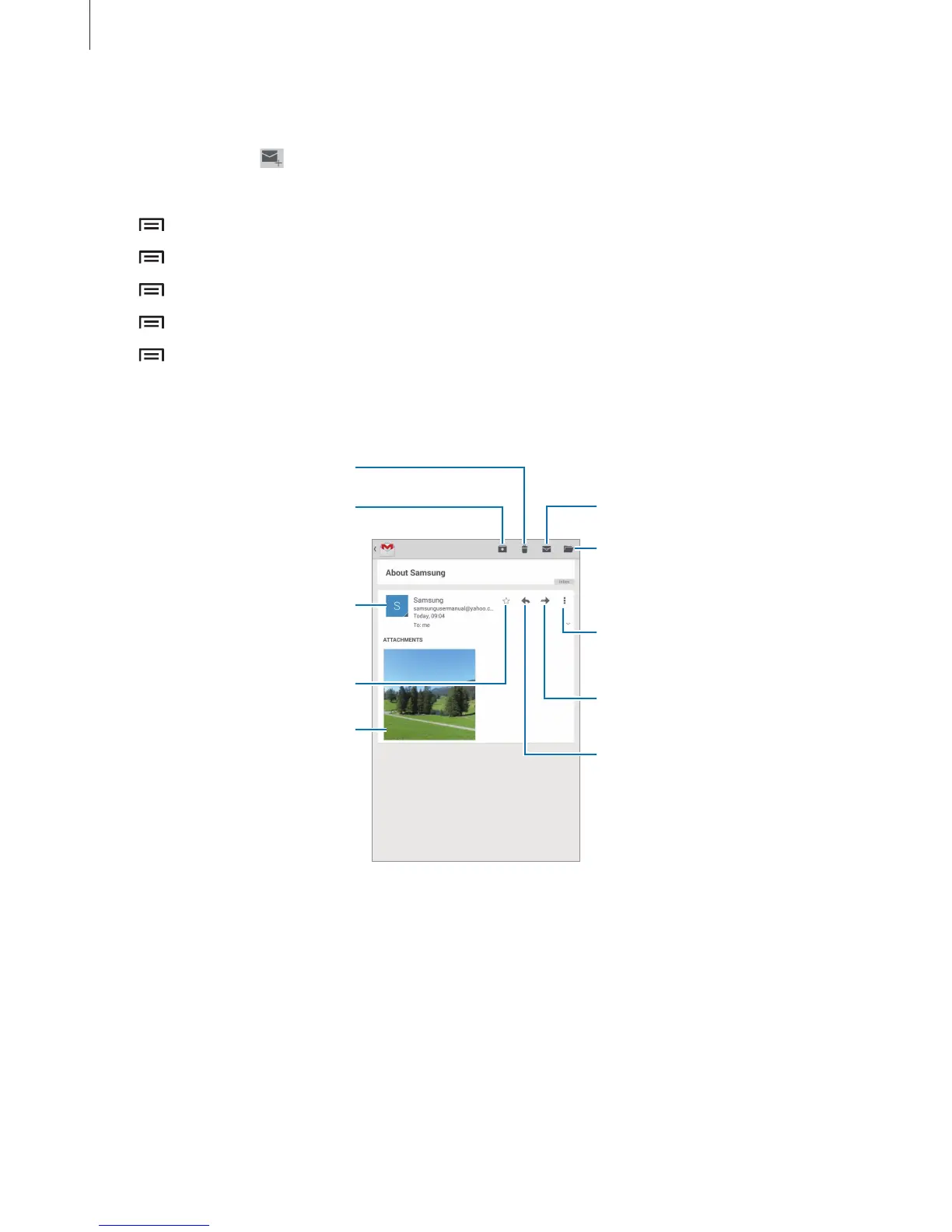
Reading messages
Move the message to another
mailbox.
Mark the message as unread.
Preview attachment.
Keep this message for long-term
storage.
Mark the message as a reminder.
Reply to this message.
Forward this message to others.
Add this email address to the
contacts list.
Reply to all recipients or print
the message.












 To Next Page