Media
72
•
Share via
: Send the album to others.
•
Print
: Print the album by connecting the device to a printer. Some printers may not be
compatible with the device.
•
Order photo book
: Place an order for a printed album.
•
Export Album
: Export the album to other storage locations.
•
Delete page
: Delete the page.
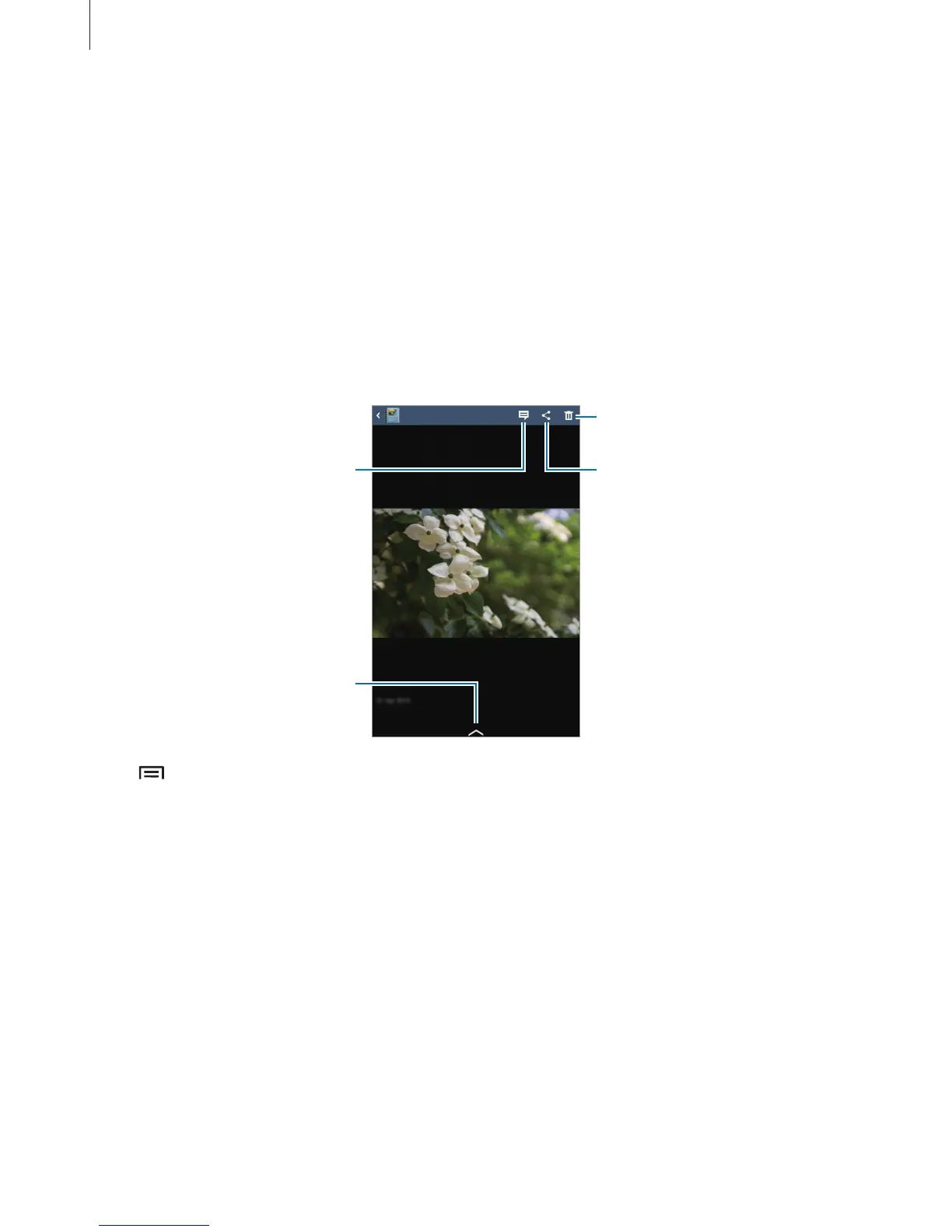
Editing images
Tap the image of the page in an album.
Select among various eects
that are available.
Add a caption.
Send the image to others.
Delete the image.
Tap , and then use the following functions:
•
Slideshow
: Start a slideshow or change the slideshow settings.
•
Set as cover
: Set the image as an album cover image.
•
Rotate left
: Rotate the image anticlockwise.
•
Rotate right
: Rotate the image clockwise.












 To Next Page