SMT-i6020/6021 User Guide _39
Contacts
[Phone Contacts]
Using the contacts, the user can easily manage phone numbers, email ID, fax
numbers, and photos, etc.
In addition, calls can easily be made using the contacts.
[Directory Service]
You can search the users registered in the directory server.
The directory service is displayed only when the system supports it.
For information on the specific server, contact the server administrator.
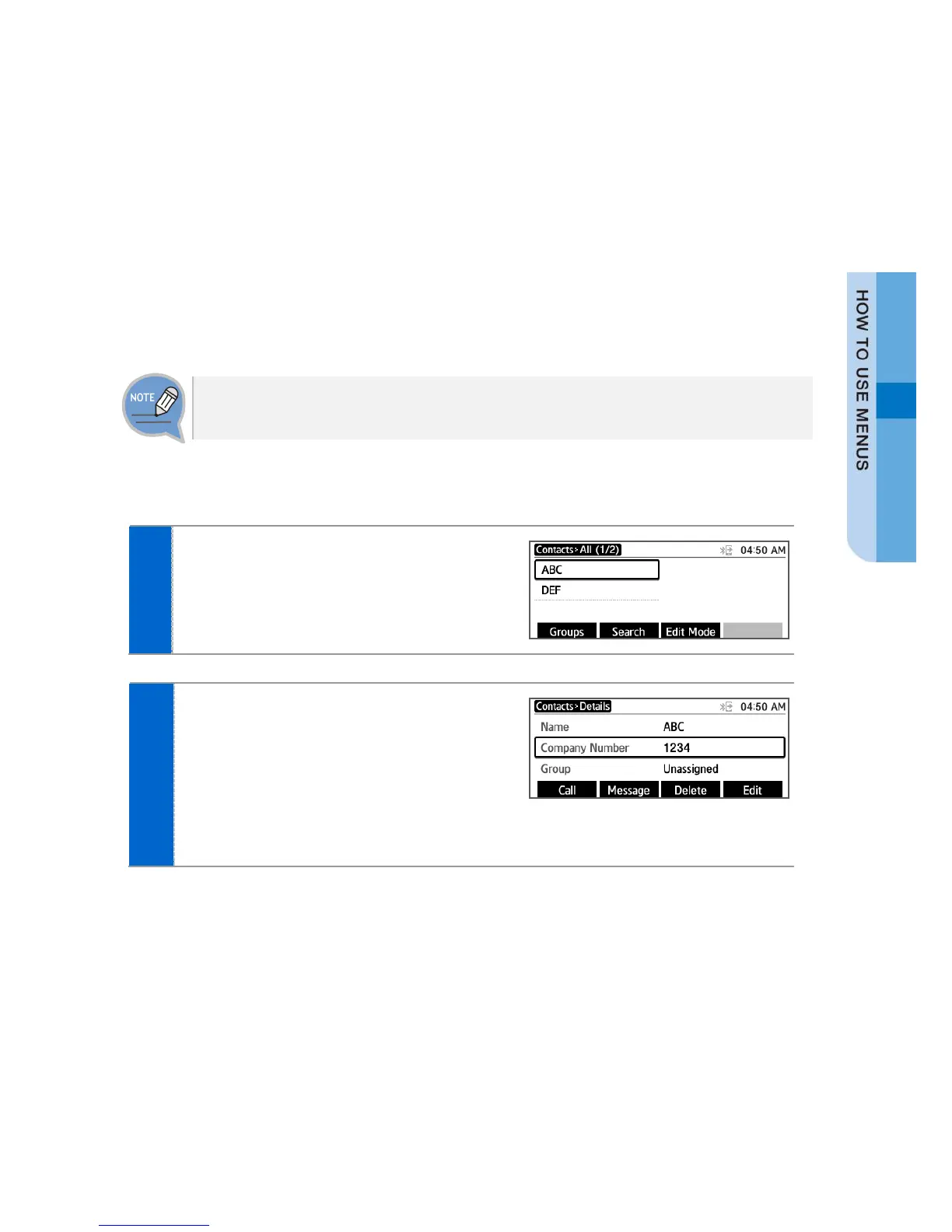
You can view the phone number saved in the contacts.
The list of saved phone numbers is
displayed.
When you select a target and press the
[OK] button, the detail information is
displayed.
- [Call]: You can make a call to the selected
phone number.







 To Next Page