SMT-i6020/6021 User Guide _45
- A message can be sent up to 10 people at a
time.
The calling line is subject to charge. A user can change a calling number, but the
actual line to be charged can be changed only through the calling line change.
Received Messages
You can save and check a received message.
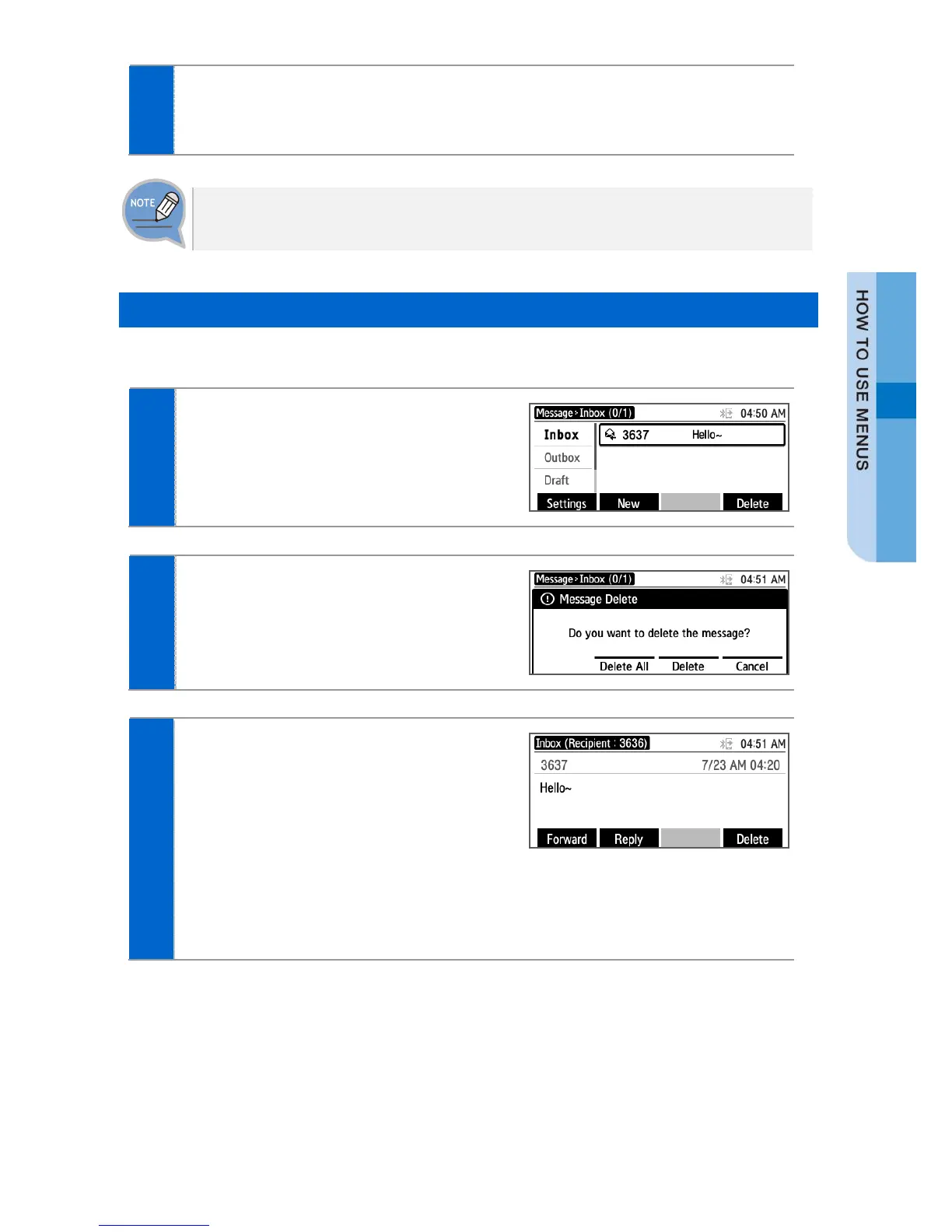
Select [Menu] [Message]
[Inbox].
The list of received messages is
displayed.
- [Delete]: You can delete a selected message.
- [Delete All]: You can delete all the messages.
To view all message information, select
the message and then press [OK]
button.
- [Forward]: You can forward a message to
others by pressing the below soft button.
- [Reply]: You can reply to a counterpart who
sent a message.
- [Call]: You can call the person who send the
message.
- [Delete]: You can delete a message.







 To Next Page