EasyManua.ls Logo

Samsung SRD-476D - User Manual

Samsung SRD-476D
142 pages
Print Icon
To Next Page IconTo Next Page
Loading...
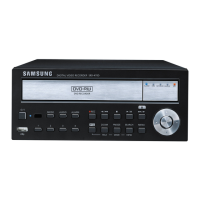
4 CHANNEL DVR
User Manual
SRD-476D

Table of Contents

Other manuals for Samsung SRD-476D

Questions and Answers

  • T
    Tammy CarterSep 8, 2025
    How to fix Samsung SRD-476D not recognizing additional HDD?
    • C
      chavezkathleenSep 8, 2025
      To resolve your Samsung DVR not recognizing the additional HDD, see the compatibility list to check if the additional HDD is supported by the DVR.
  • J
    James GuzmanSep 10, 2025
    How to fix Samsung SRD-476D DVR not recognizing external SATA HDD?
    • M
      Maureen PetersonSep 12, 2025
      To resolve your Samsung DVR not recognizing the external SATA HDD, see the compatibility list of external storage devices to check if the connected device is supported by the DVR.
  • C
    Charles PearsonSep 12, 2025
    How to release the alarm on a Samsung DVR?
    • M
      Molly BrewerSep 12, 2025
      If pressing the [ALARM] button on your Samsung DVR's front panel doesn't stop the alarm, try pressing the [MENU] button instead. Alternatively, you can disable event monitoring by setting the duration to 'Off' in Monitoring Mode. To stop the alarm sound, deactivate the alarm in Event Record Mode - Alarm (Motion Detection/Video Loss/Tampering Detection). You can also completely disable the event in the same menu by setting the mode to 'Off'.
  • M
    michael10Sep 13, 2025
    How to improve the image quality of Samsung DVR recording data?
    • C
      Charles HenrySep 13, 2025
      To improve the image quality of your Samsung DVR recording data, increase the resolution and quality level in Menu – Record – Quality / Resolution. Select a bigger size when specifying the recording size and a bigger level for the recording quality. Note that increasing the resolution and recording quality will increase the data size, filling the HDD faster and potentially shortening the recording interval due to overwriting.
  • J
    Jeffrey PollardSep 15, 2025
    How to exit full screen mode on Samsung SRD-476D WebViewer?
    • T
      thomas87Sep 16, 2025
      If pressing the ESC key doesn't exit full screen mode on your Samsung DVR WebViewer, press the ALT+TAB keys to select ‘ACTIVE MOVIE’ and press the ESC key again.
  • M
    Melissa TaylorSep 18, 2025
    How to fix Samsung DVR time bar not displayed in Search mode?
    • G
      garciathomasSep 18, 2025
      To display the time bar in Search mode on your Samsung DVR, switch to normal mode or use the left or right button to navigate through the time bar.

Summary

Overview

Important Safety Instructions

Crucial guidelines for safe operation and maintenance of the apparatus.

Security Precautions

Essential security measures for user accounts and network access to prevent threats.

Part Names and Functions

Front Panel Components

Detailed identification and explanation of the DVR's front panel components.

Rear Panel Connectors

Detailed identification and explanation of the DVR's rear panel connectors and ports.

Connecting Devices and Network

Live Mode Operations

System Startup and Login

Initial steps to power on the DVR and log in to the system interface.

Main Menu System Setup

User and Permission Management

Setting up administrator, users, groups, and managing access permissions.

Search and Playback

Web Viewer Operations

Appendix and Support

Troubleshooting Common Issues

Guidance on identifying and resolving common operational problems with the DVR.

Samsung SRD-476D Specifications

General IconGeneral
Video Output Channels1
Recording Rate120 fps
Compression FormatH.264
Audio Inputs4
Audio Outputs1
Internal HDDYes
Power Supply12V DC
Video Input Channels4
Recording ResolutionCIF
Max. Resolution720x480
USB2 USB ports
Network Interface10/100Mbps Ethernet

Related product manuals