English _33
LIVE
EVENT MONITORING
This will display the channel in sync with a specifi c event (Sensor/Motion/Video Loss) if it occurs.
In “Monitor > Event Display”, set the event monitoring to ON/OFF and specify the event display time. (Page
50)
If multiple events occur simultaneously, the screen will switch to a split mode.
- 2~4 events : 4-split mode
- 5~9 events : 9-split mode
- 10~16 events : 16-split mode
If the second event occurs within the set time of <Event Display>, the fi rst event will last until the second
one is terminated. (Page
50)
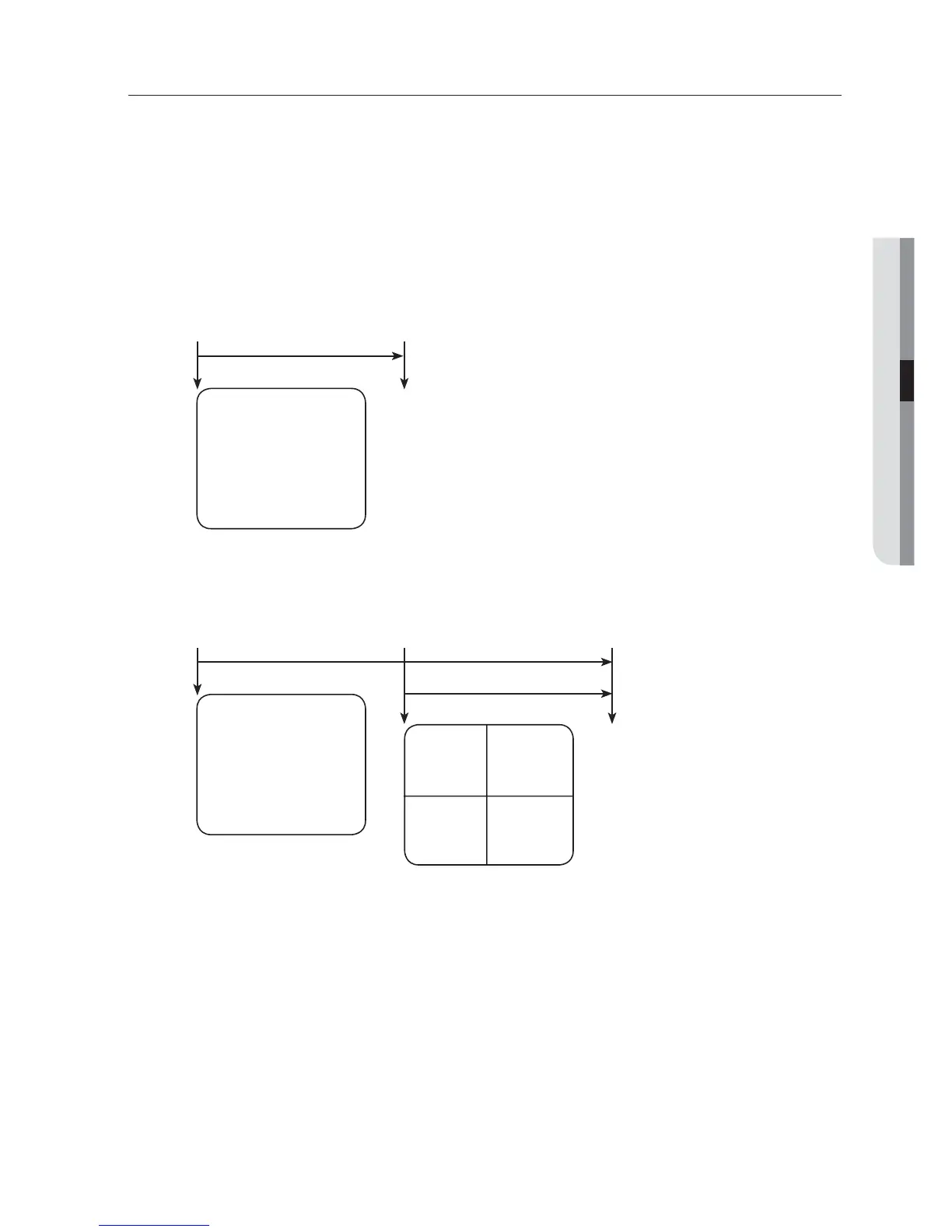
Ex : If you set <Event Display> to 5 seconds, and only one event occurs in CH 1.
Ex : If you set <Event Display> to 5 seconds, and the second event occurs in CH 2 within the set time after the fi rst
event occurred in CH 1.
Press the [ALARM] button to reset the alarm settings and to release the event mode.
If an alarm activates in the condition you have set the event record, and pre/post alarm times, the event record will
be performed.
This will also apply to the Spot Out monitor.
•
•
M
CH1
Event occurrence 5 seconds
Stop alarm
CH1 CH2
CH1
Event occurrence 4 seconds 9 seconds
Stop alarm



 To Next Page