84_ web viewer
web viewer
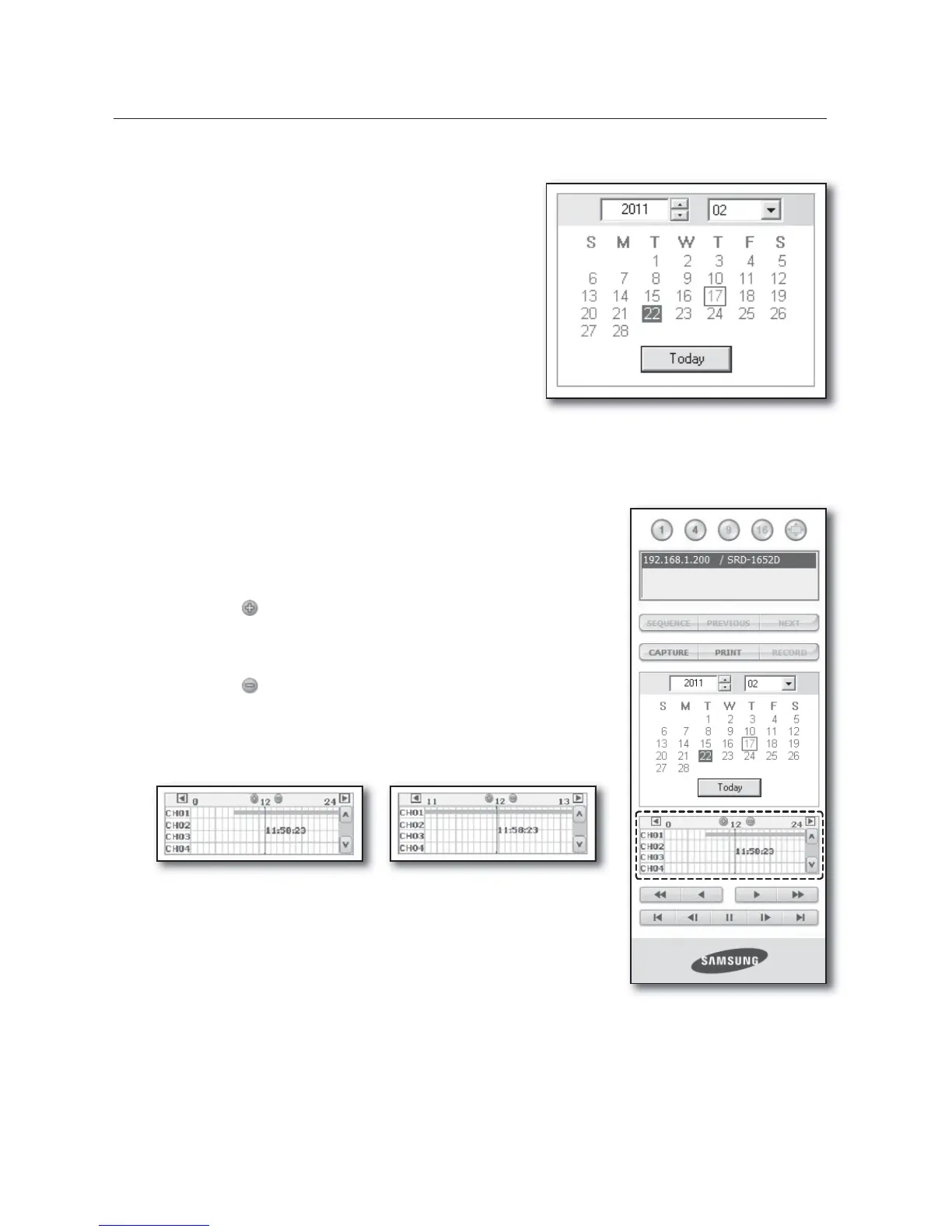
SEARCHING THE RECORDED VIDEO IN THE CALENDAR
If the video data has been recorded on a date, the date is
distinguished in green. If you click the date, the recorded
video information is displayed in the time line. When you click
<Today>, it will be synchronized with the system time (date)
of the current PC.
SEARCHING THE RECORDED VIDEO IN THE TIMELINE
It displays the recorded video data status on the DVR after a date is
selected. The normal mode displays the time ranging from 0 to 24 Hours
while the extension mode displays the time every 2 hours.
[Normal Mode]
If you click <
> button, it changes to the extension mode.
Each time line represents 1 hour.
[Extension Mode]
If you click < > button, it changes to the normal mode.
Each time line represents 5 minutes.
The channels are ranging from CH01 to CH16.
•
•
•
•
M



 To Next Page