English _65
USING THE DVR
Group Setting
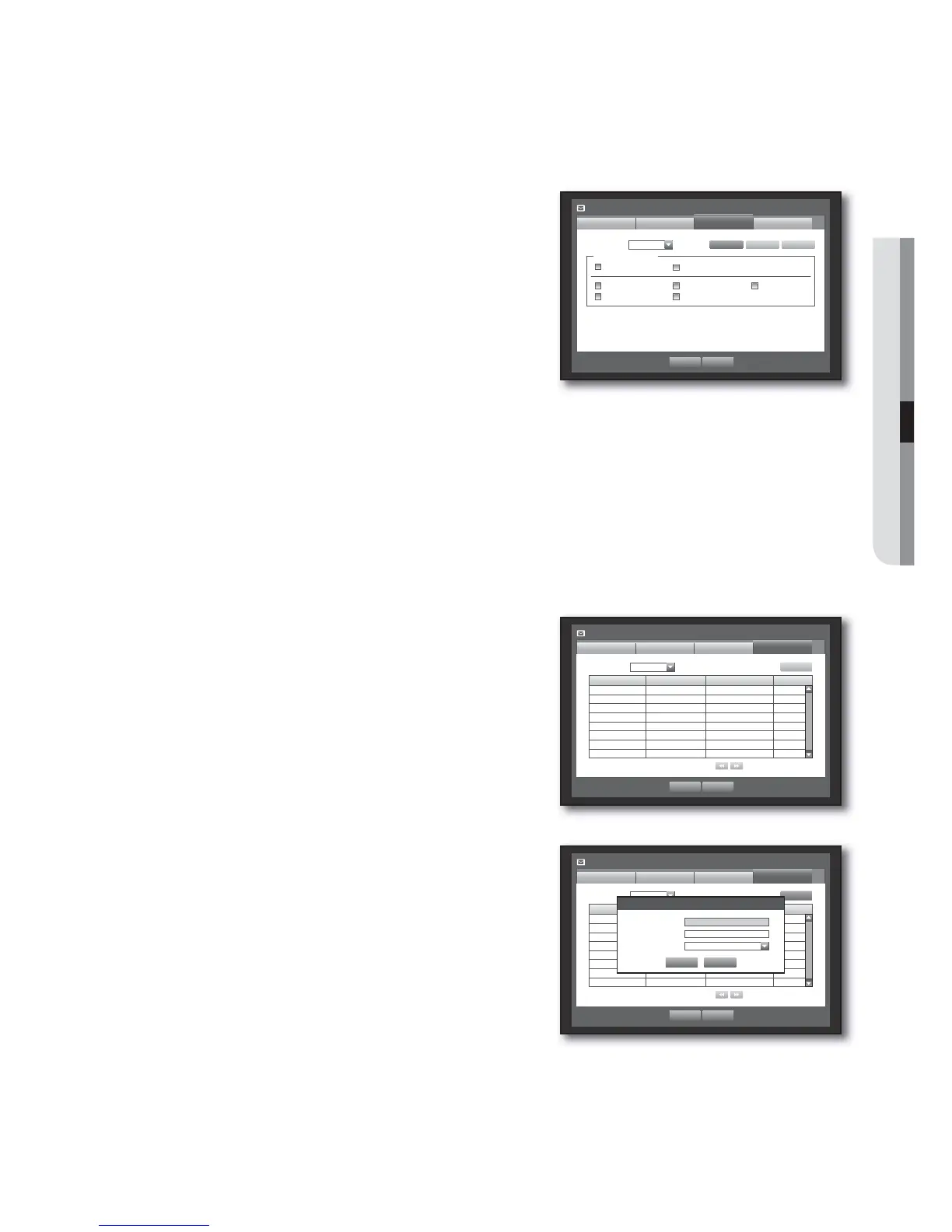
You can set the group to whom the e-mail is sent, and specify the permission for each group.
You can add recipients for each group in the <Recipient> menu item.
The recipient is set separately from the DVR user group.
Using the mouse may help make setup easier.
In the <Network> setting window, press the up/down
(
) button to move to <Mailing Service> and press the
[ENTER] button.
Select <Group>.
Use direction buttons (
◄ ►
) to move to a desired item
and set the value.
Add : Select <Add> and use the virtual keyboard to add a
group.
Refer to “Using Virtual Keyboard”. (Page 36)
Delete : Deletes the selected group.
Rename : You can reset the recipient permission of an existing group.
Recipient Permission : Set the permission of the recipient group.
When the group setting is done, press <OK>.
Recipient Setting
You can add/remove a recipient(s) to/from the specifi ed group and edit the group if necessary.
Using the mouse may help make setup easier.
In the <Network> setting window, press the up/down
(
) button to move to <Mailing Service> and press the
[ENTER] button.
Select <Recipient>.
Use direction buttons (
◄ ►
) to move to a desired item
and set the value.
Add : You can select a recipient name, e-mail address or
group.
You should have created a group in the <Group> menu
item before you can add a user to the group.
For inputting the recipient name and email address, refer to
“Using Virtual Keyboard”. (Page 36)
When the recipient setting is done, press <OK>.
1.
2.
3.
•
•
•
•
4.
1.
2.
3.
•
4.
Mailing Service
SMTP
OK Cancel
Event Group
Recipient
Group Name e-Mail Address Delete
Add
x
Group All Group
Previous/Next Page
Mailing Service
Group
SMTP
OK Cancel
Recipient
x
Group
Recipient Permission
Sensor Motion
Change P/W HDD Info Video Loss
Power On/Off Manual Record
Event
Add Delete Rename
Mailing Service
SMTP
OK Cancel
Event Group
Recipient
Group Name e-Mail Address Delete
Add
x
Group ABC
Previous/Next Page
Add recipient
OK Cancel
x
Name
x
Email
x
Select Group ABC



 To Next Page