EasyManua.ls Logo

Samsung SyncMaster 550DX - User Manual

Samsung SyncMaster 550DX
152 pages
Print Icon
To Next Page IconTo Next Page
Loading...
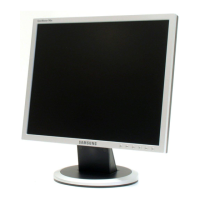
SyncMaster 550DX
LCD Display
User Manual
The color and the appearance may differ depending on the
product, and the specifications are subject to change
without prior notice to improve the performance.

Table of Contents

Other manuals for Samsung SyncMaster 550DX

Questions and Answers

  • R
    Raymond WalshAug 10, 2025
    How to fix a Samsung SyncMaster 550DX Monitor when the display does not appear on the system information chart?
    • S
      sherry57Aug 10, 2025
      If the display you want to control isn't showing up on the system information chart for your Samsung Monitor, here are a few things to check: * First, ensure the RS232C cable is properly connected to the correct serial port. * Second, make sure no other display is connected with a duplicate ID, as this can cause data collision and prevent the display from being shown. * Finally, verify that the display ID is within the range of 0 to 99. If needed, change the ID using the Display menu.
  • M
    morganstevenAug 18, 2025
    What to do if the Samsung SyncMaster 550DX display does not appear on the Control Info Grids?
    • M
      Michelle LaraAug 18, 2025
      If the display you are trying to control isn't showing up on the Control Info Grids for your Samsung Monitor, ensure that the display is powered on. You can check the power status in the system information chart. Also, make sure you've selected the correct input source that the display is connected to.
  • T
    Tina CollierAug 26, 2025
    Why do Samsung SyncMaster 550DX Monitor displays power on/off at different times?
    • P
      Paul HallAug 26, 2025
      If your Samsung Monitor displays are powering on or off at different times despite setting an On Time or Off Time, adjust the time on your PC. This will synchronize the time between the connected displays.
  • C
    christinefrancoSep 2, 2025
    What to do if the Samsung SyncMaster 550DX remote control does not work?
    • B
      Benjamin FergusonSep 2, 2025
      If the remote control for your Samsung Monitor isn't working, it might be because the RS-232C cable was removed, or the program closed unexpectedly while the Remote Control function was disabled. To fix this, restart the program and enable the Remote Control setting.

Samsung SyncMaster 550DX Specifications

General IconGeneral
Screen Size15 inches
Resolution1024 x 768
Brightness250 cd/m²
Native Resolution1024 x 768
Input Connectors15-pin D-Sub
Aspect Ratio4:3
Input SignalAnalog
Panel TypeLCD
Power Consumption30 W
Viewing Angle120° (H) / 100° (V)

Related product manuals