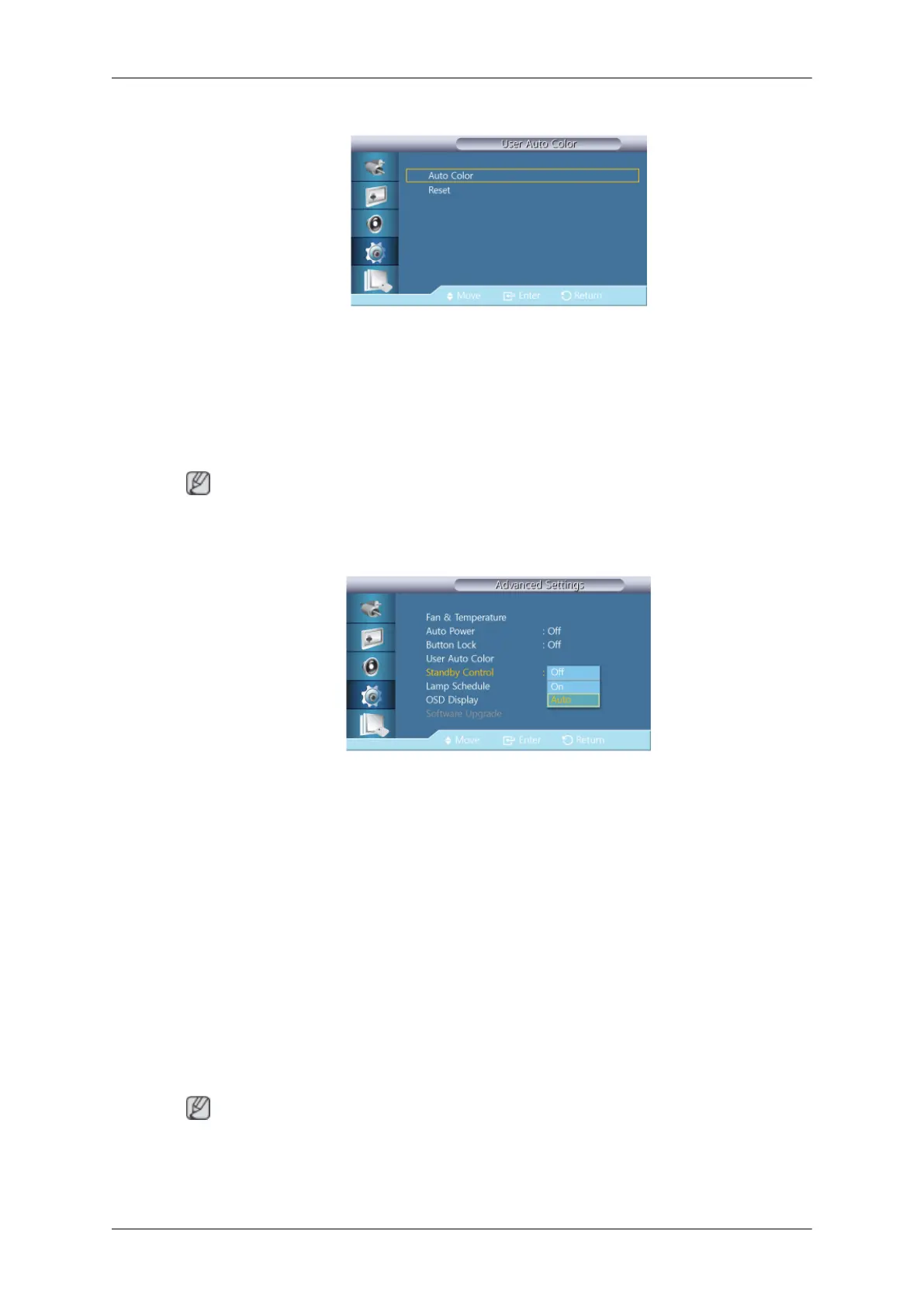
User Auto Color
1. Auto Color
Automatically adjusts the colors.
2. Reset
Resets the color settings.
Note
Enabled only in PC mode.
Standby Control
Sets the standby mode, which will be activated when no input signal is detected.
• Off
A message will read <No Signal> if no input signal is detected.
• On
Power-saving mode will be activated if no input signal is detected.
• Auto
When no input signal is detected,
- Power-saving mode will be activated if an external device is connected.
- A message will read <No Signal> if no external device is connected.
Note
•
Enabled only in PC
,
DVI
,
HDMI
, or
DP
(
DisplayPort
) mode.
• Auto
will be disabled in HDMI mode.
Adjusting the LCD Display









 To Next Page