RS232C (RS232C serial port)
Serial port
Connecting a Network Box (sold separately)
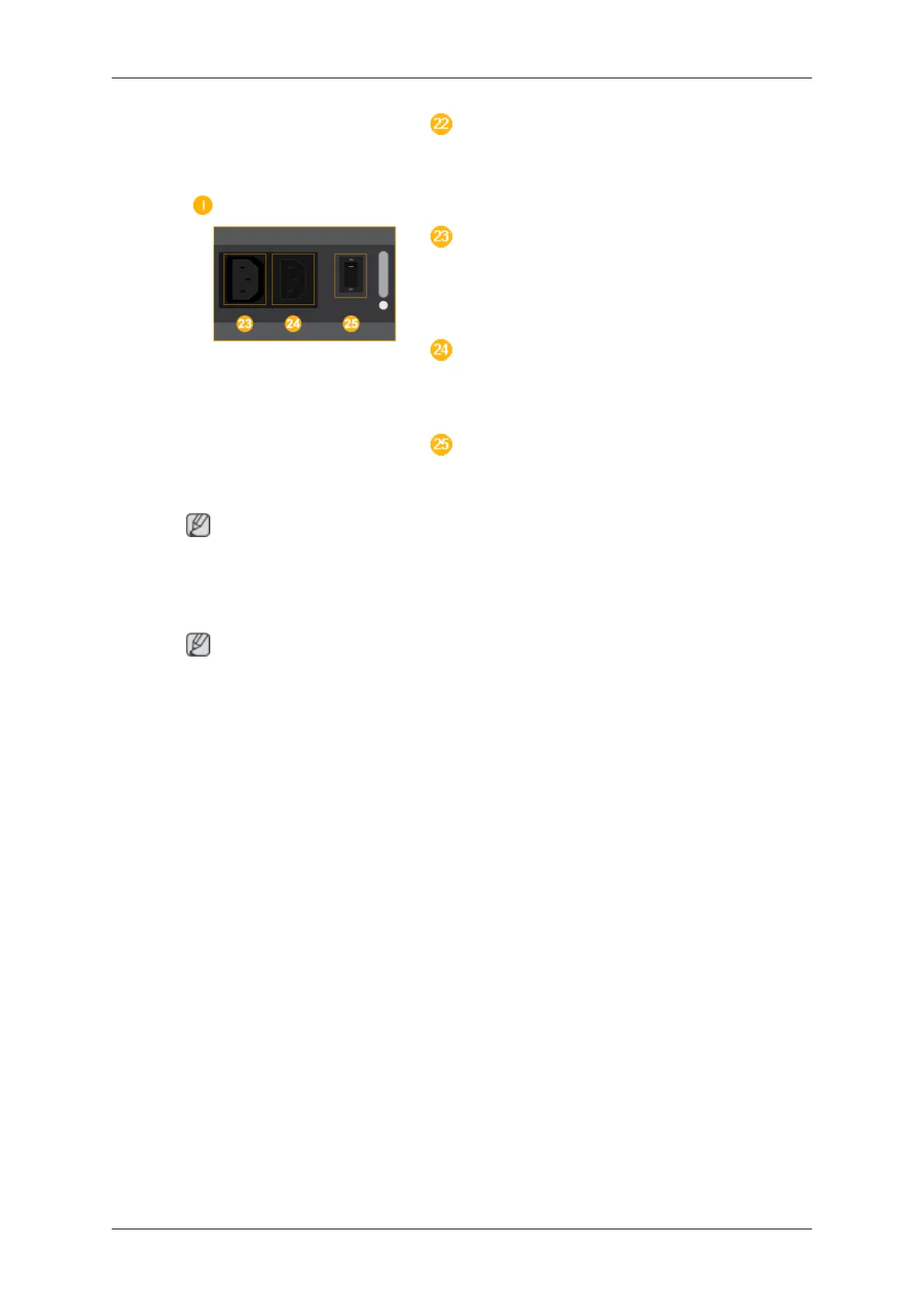
POWER
Connect the [POWER] terminal of the prod-
uct and the [POWER] terminal of the monitor
(550DX) using a power extension cable.
POWER
Connects to a mains socket via the power
cord.
POWER S/W ON [ I ] / OFF
Turns the network box on or off.
Note
The power switches of both of the monitor and the network box must be turned on for the
network box to operate normally.
Remote Control
Note
The performance of the remote control may be affected by a TV or other electronic device
operating near the LCD Display , causing a malfunction due to interference with the frequen-
cy.
A TV tuner box (sold separately) must be connected to use the TV. (US Only)
Introduction









 To Next Page