Connecting a Network Box (sold separately)
Note
• Network boxes are sold separately.
• For more information on how to purchase and install a network box, contact Samsung
Electronics.
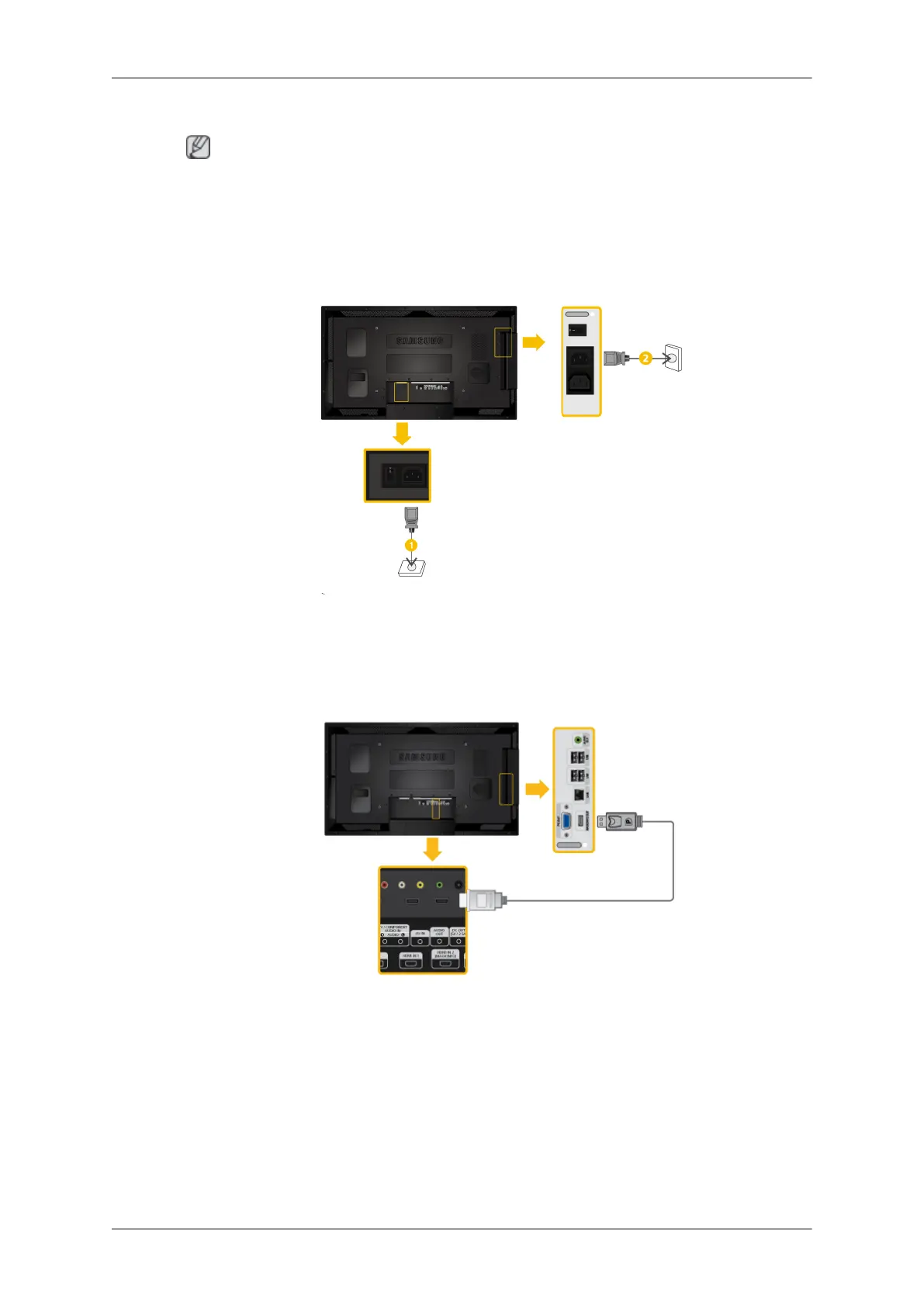
Connecting the Power
Connecting to MAGICINFO OUT
Connect the [MAGICINFO OUT] terminal of the network box and the [HDMI IN 2 (MAGICIN-
FO)] terminal of the monitor using the DP to HDMI cable.
Connections
1. Connect the [POWER] terminal on the product and the [POWER] terminal on the
network box to the outlet respectively, using the power cable.









 To Next Page