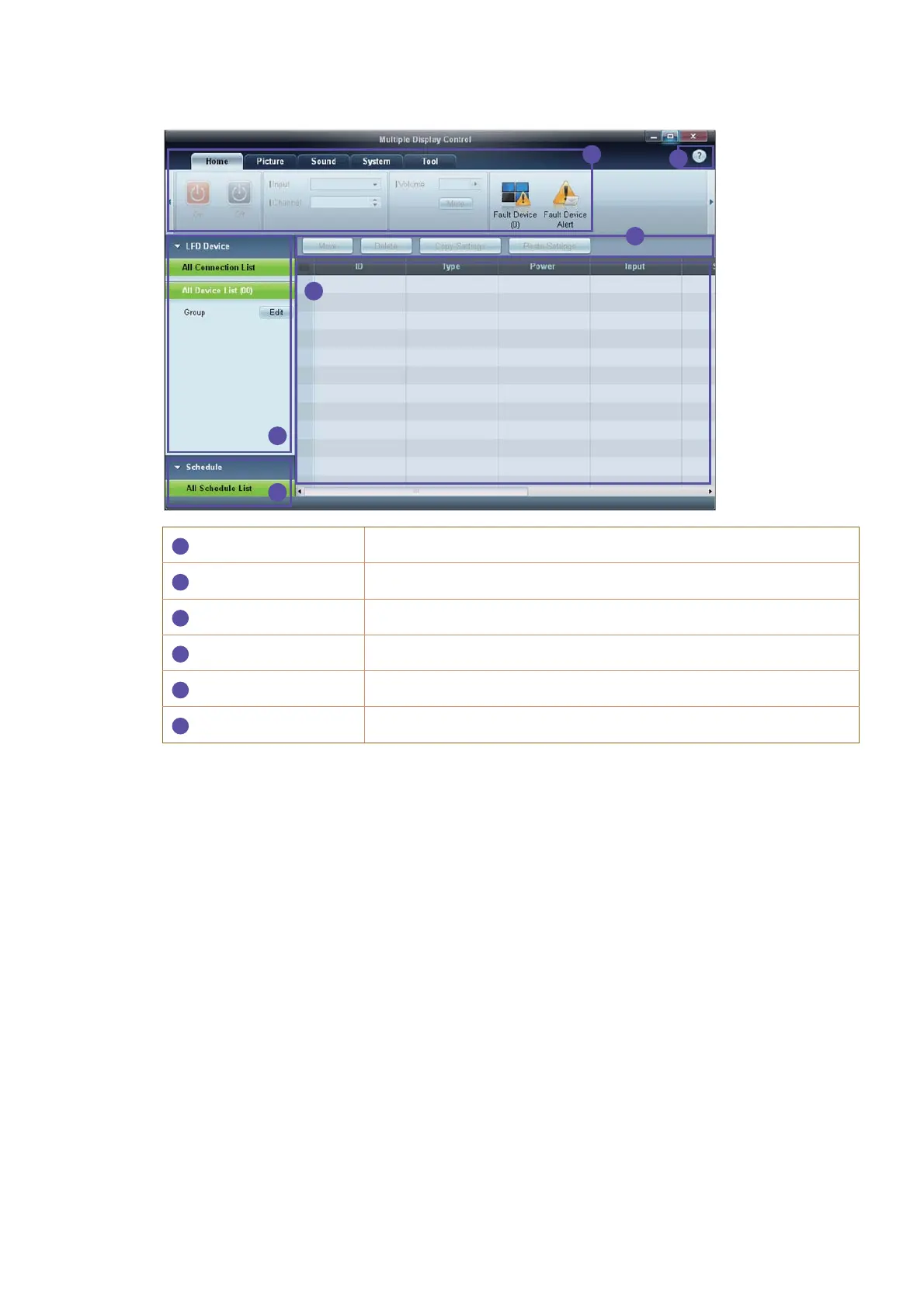
Main Screen Layout
Menu Bar
Change the status of a display device or the properties of the program.
Device Category
View a list of connected display devices or device groups.
Schedule Category
View a list of schedules for display devices.
Set List
Select the display device you want to adjust.
Modify the Set List
Add, edit, regroup or delete sets.
Help Topics
Display help topics for the program.









 To Next Page