4
Assemble Your Device
Assemble Your Device
This section helps you to
assemble your device.
Install the Nano SIMCard
When you subscribe to a cellular network, you are
provided with a plug-in SIM card. During activation,
your SIM card is loaded with your subscription
details, such as your Personal Identification Number
(PIN), available optional services, and other
features.
Warning: Please be careful when handling the SIM
card to avoid damaging it. Keep all SIM cards out of
reach of small children.
Caution: Exercise care when using the removal tool to
eject the internal SIM card tray.
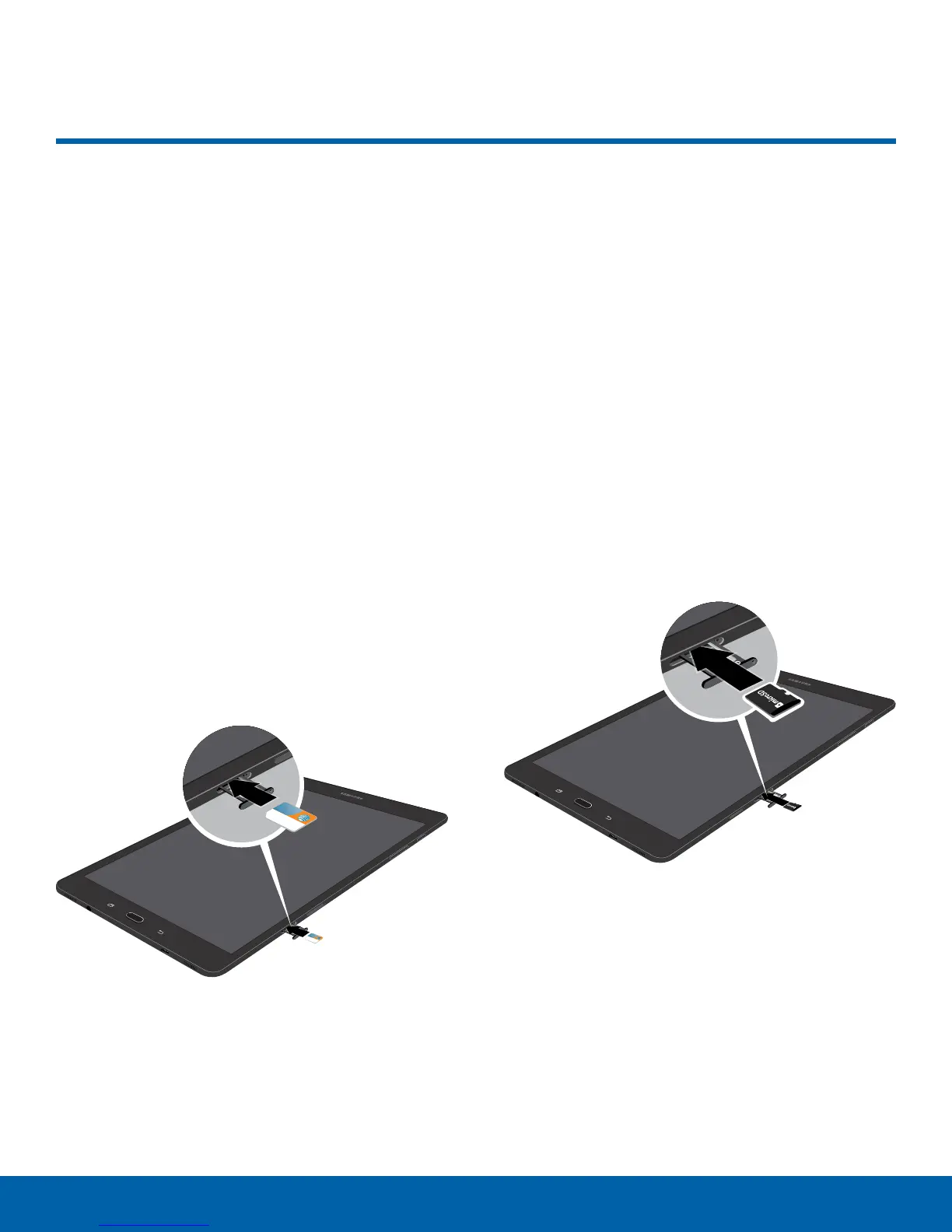
1. With the tablet’s screen facing up, locate and
open the SIM card slot cover.
2. Insert the removal tool into the hole on the SIM
card tray, and then push until the tray pops out.
3. Place the SIM card on the tray.
•
Make sure that the card’s gold contacts face
down into the device and that the card is
positioned as shown.
4. Slide the SIM card tray back into the slot
.
Caution: If the SIM card is not inserted correctly, the
device cannot detect it. Reorient the SIM card and
place it back into the slot if it not detected.
Install an Optional Memory Card
You can install an optional microSD
™
or
microSDHC
™
memory card (not included) to add
additional memory space to your device.
Note: A memory card can be installed at any time; it
is not necessary to install it prior to using the device.
1. With the tablet’s screen facing up, locate and
open the memory card slot cover.
2. Insert the removal tool into the hole on the
memory card tray, and then push until the tray
pops out.
3. Place the memory card on the tray.
4. Make sure that the memory card’s gold contacts
face down into the device and that the card is
positioned as shown.
5. Slide the memory card tray back into the slot.
Caution: If the memory card is not inserted correctly,
the device cannot detect it. Reorient the memory card
and place it back into the slot if it is not detected.















 To Next Page