9
Home Screen
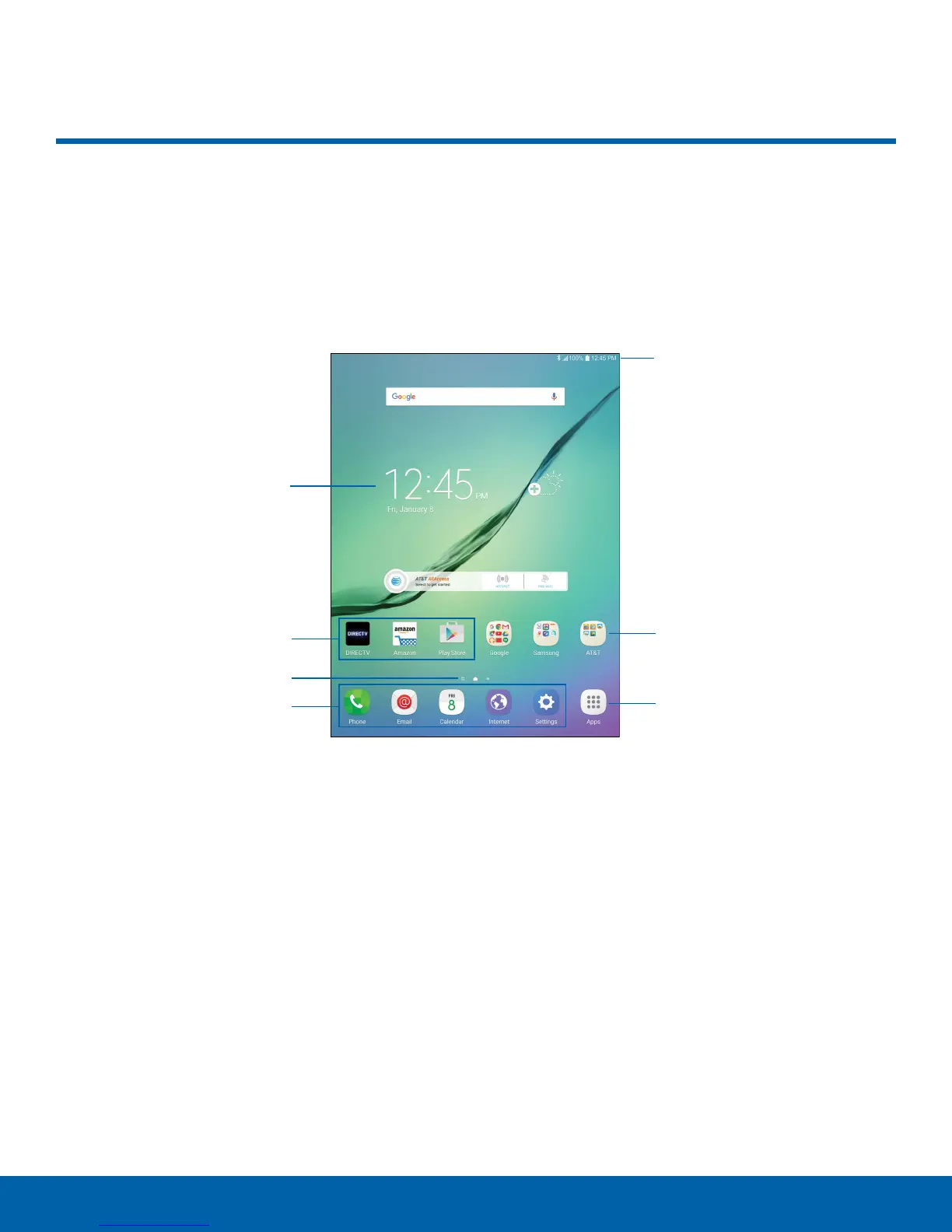
Status bar
Widget
App shortcuts
Appfolder
Home screen indicator
Primary app shortcuts
Appslist
Home Screen
The Home screen is the starting point for using your device.
•
Status bar: Displays device status icons
(information about the device, such as the network
signal strength, battery level, and the time) on the
right and notification icons (new emails, available
software updates, and more) on the left.
•
Home screen indicator: Indicates which
Homescreen is currently visible.
•
App shortcuts: Launches your favorite
applications.
•
App folder: Groups multiple apps into a folder.
•
Widget: Runs as a simple application extension
(nota shortcut) on a Home screen.
•
Appslist: Allows quick access to all of your
applications.
•
Primary app shortcuts: Displays these shortcuts
on all Home screens.















 To Next Page