60
Video Player
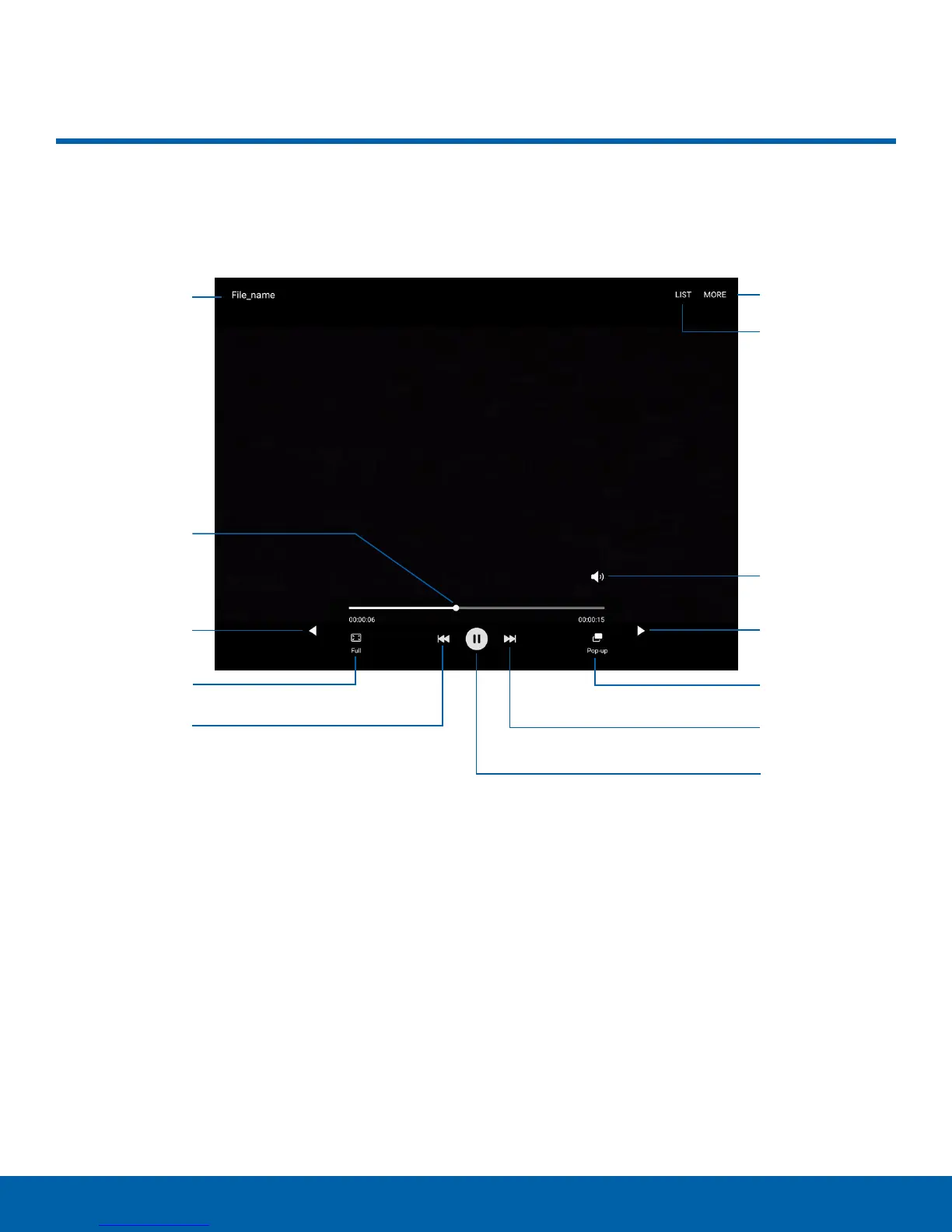
File name
More options
Video list
Playback
position
Volume
Move
Move
controls
controls
Screen ratio Pop-up
Rewind Fast-forward
Pause or
Play
Video Player
Play and manage videos stored on your device.
•
More options: View more options.
•
Pause or Play: Pause or play the current video.
•
Video list: See the current video playlist.
•
Rewind: Restart the video, skip to a previous
video, or rewind the video.
•
Volume: Adjust the volume.
•
Screen ratio: Change the screen ratio.
•
Move controls: Tap to move the Video player
controls to the right or to the left (landscape
orientation only).
•
Playback position: Skip to another part of the
video.
•
Pop-up: Open the video in a pop-up window.
•
File name: View the name of the video file.
•
Fast-forward: Skip to the next video or
fast-forward through the current video.















 To Next Page