23
Phone Screen
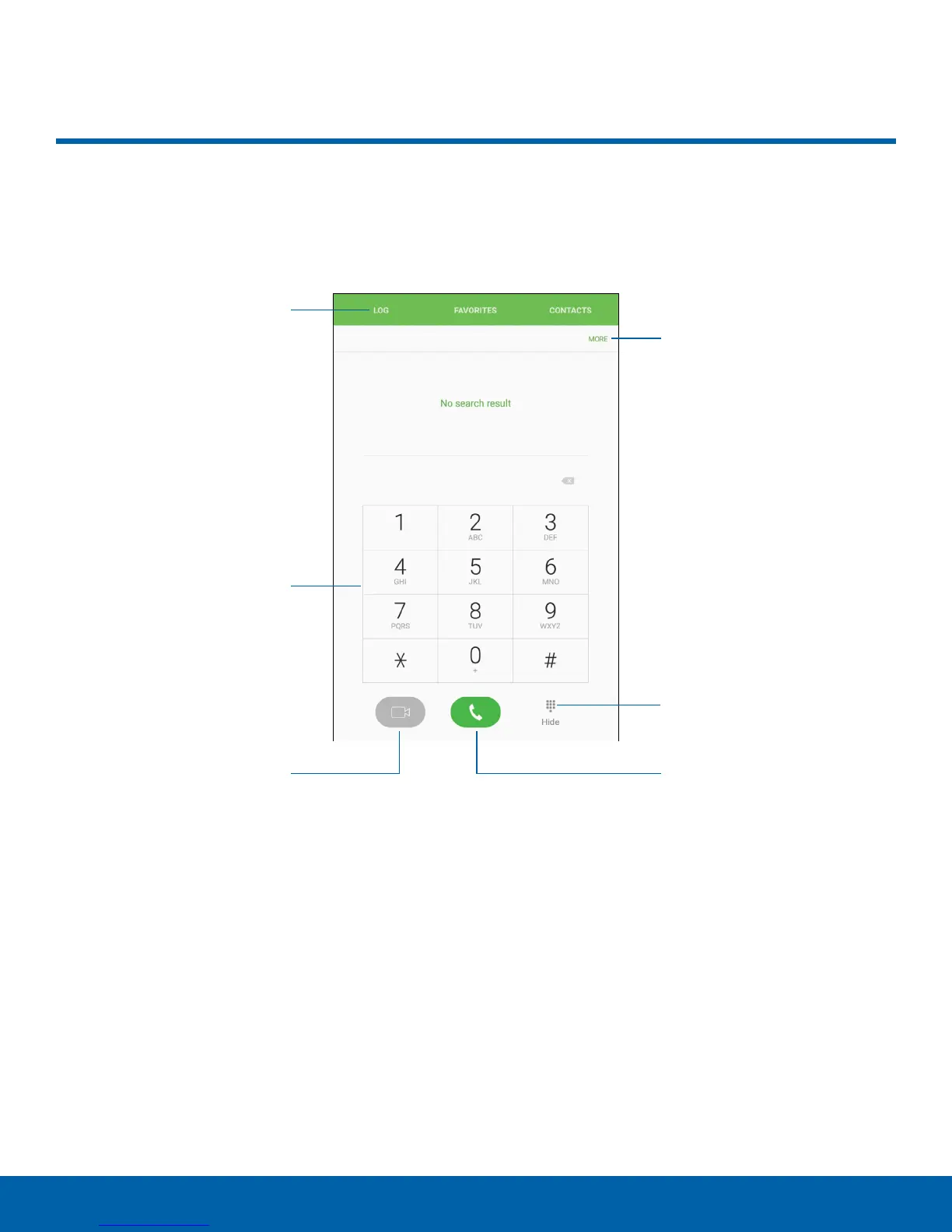
Tabs
Keypad
Video call
More options
Hide the keypad
Call
Phone Screen
Use the Phone screen to access the dialer keypad, recent calls,
favorites, and contacts.
•
More options: Access Speed dial and Call
settings.
•
Hide the keypad: Hide the keypad and display
recent calls.
•
Call: Make a call.
•
Video call: Make video calls.
•
Keypad: Dial the number that you want to call.
•
Tabs: Display a log of all dialed, received,
and missed calls. Display contacts marked as
favorites. Display your contacts and select a
contact to call.















 To Next Page