15
Notification Panel
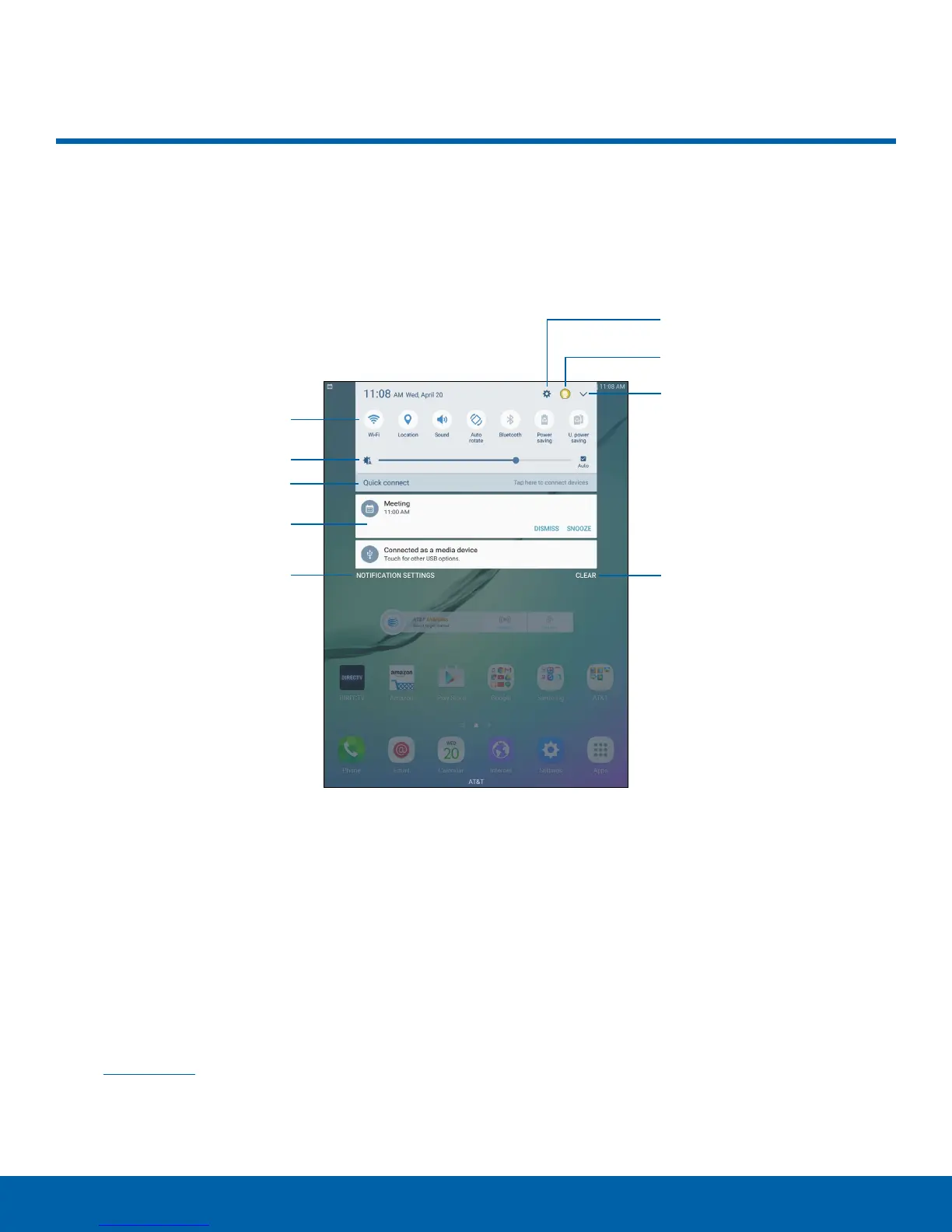
Settings
Manage users
View all
Quick settings
Screen brightness
Quick connect
Notification card
Notification settings
Clear notifications
Notification Panel
Notification icons on the Status bar display calendar events, device
status, and more. For details, open the Notification panel.
•
Settings: Display the Settings screen.
•
Manage users: Change users or display Users
settings.
•
View all: See all available Quicksettings.
•
Clear notifications: Clear all notifications.
•
Notification settings: Enable or disable
notifications from each app. For more information,
see Notifications.
•
Notification card: View details about a
notification.
•
Quick connect: Search for nearby devices to
connect with quickly and easily.
•
Screen brightness: Adjust screen brightness.
•
Quick settings: Quickly enable or disable a
feature.















 To Next Page