57
Music Player
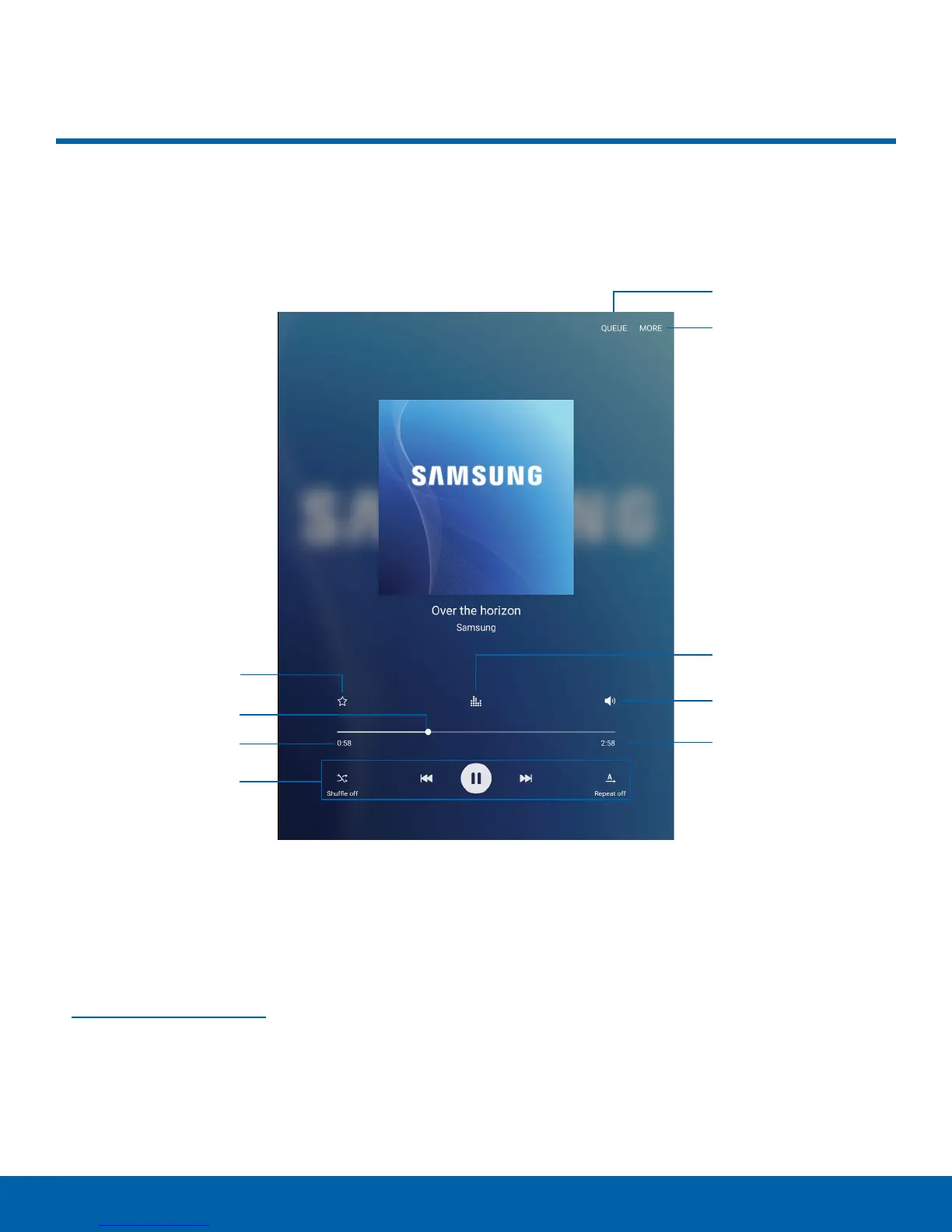
Favorite
Playback position
Time elapsed
Playback controls
Song queue
More options
Sound quality and
effects
Volume
Song length
Music Player
Listen to your favorite songs with the Music player. Navigate through
your music library, play songs, and create customized playlists.
•
Song queue: View the current song list being
played.
•
More options: View more options.
•
Sound quality and effects: Customize options to
adjust sound effects. For more information, see
Sound Quality and Effects.
•
Volume: Adjust the volume.
•
Song length: View the total length of the current
song.
•
Playback controls: Change shuffle or repeat
modes, fast-forward or rewind, or play or pause
the current song.
•
Time elapsed: View the time elapsed for the
current song.
•
Playback position: Skip to another part of the
current song.
•
Favorite: Tag this song as a favorite.















 To Next Page