2
Front View
Front View
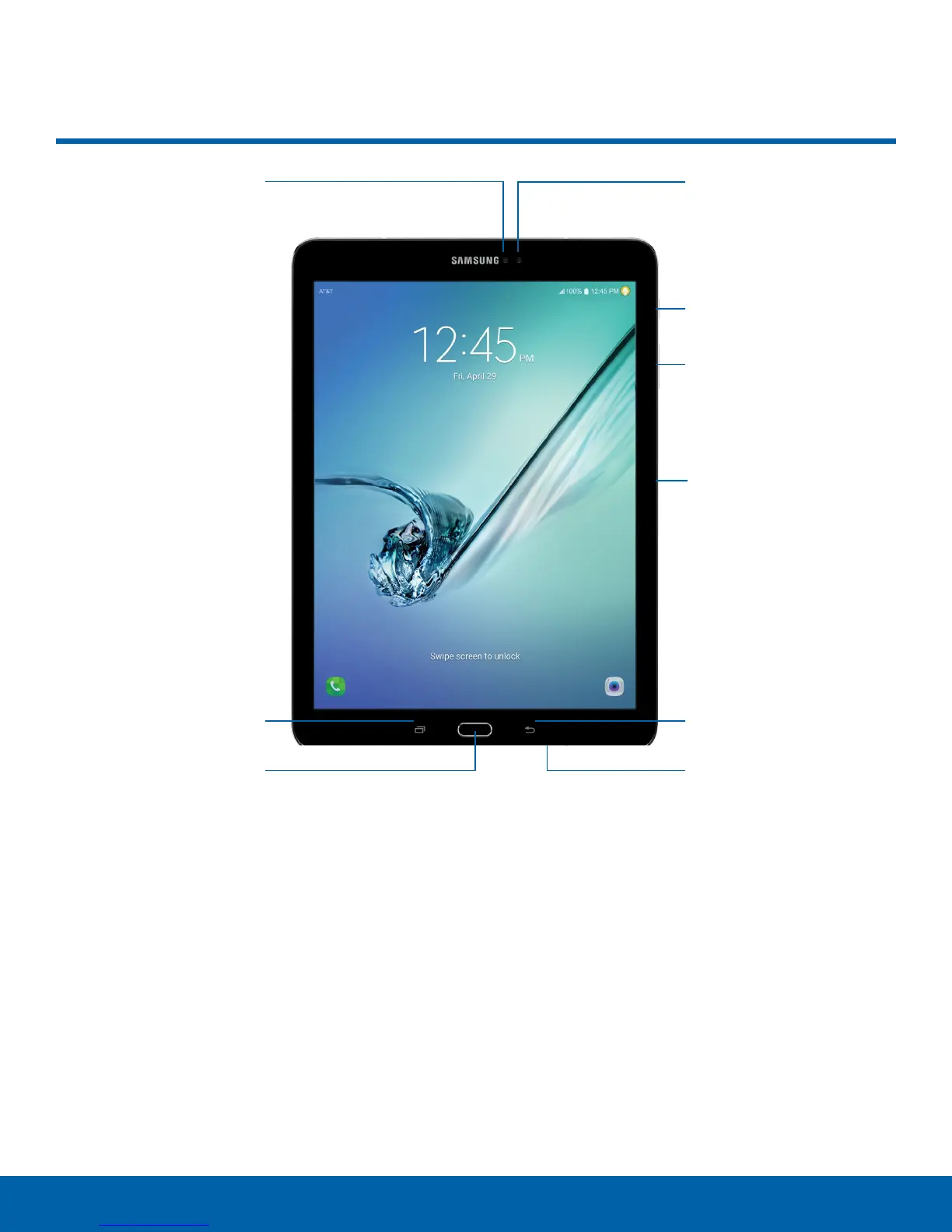
Proximity sensors
Recent
Home key
•
Front camera: Take self-portraits and record
videos of yourself.
•
Power key: Press and hold to turn the device on
or off, restart it, or for quick access to Airplane
and Emergency modes. Press to lock or wake up
the screen.
•
Volume key: Adjust the volume of your device’s
sounds and audio playback.
•
Microphone: Records audio and detects voice
commands.
•
Back: Return to the previous screen, or close a
dialog box, menu, or keyboard.
Front camera
Power key
Volume key
Microphone
Back
USB charger/
Accessoryport
•
USB charger/Accessory port: Connect the USB
charger (included) and other optional accessories
(not included).
•
Home key: Return to the Home screen.
•
Recent: Tap to display recent apps. Touch and
hold for Multi Window
™
.
•
Proximity sensors: Detect the presence of
objects near the device.















 To Next Page