56
Features & Operation
1. AUTO MODE : In this mode, operation
mode(COOL) is selected automatically by
the room temperature of initial operation.
∆T= -1°C, -2°C, 0°C+1°C+2°C
∆T is controlled by setting temperature
up/down key of remote controller
2. COOL MODE : The unit operates according
to the difference between the setting and
room temperature. (18°C~30°C)
3. DRY MODE : Has 3 states, each determined
by room temperature.
The unit operates in DRY mode.
*Compressor ON/OFF Time is controlled
compulsorily(can not set up the fan speed,
always breeze).
*Protective function : Low temperature
release. (Prevention against freeze)
4. TURBO MODE : This mode is available in
AUTO, COOL, DRY, FAN MODE.
When this button is pressed at first, the air
conditioner is operated “powerful” state for
30 minutes regardless of the set tempera-
ture, room temperature.
When this button is pressed again, or when
the operating time is 30 minutes, turbo
operation mode is canceled and returned to
the previous mode.
*But, if you press the TURBO button in DRY
or FAN mode that is changed with AUTO
mode automatically.
5. SLEEP MODE : Sleep mode is available
only in COOL mode.
The operation will stop after 6 hours.
*In COOL mode : The setting temperature
is automatically raised by 1°C each 1hour
When the temperature has been raised by
total of 2°C, that temperature is main-
tained.
7. FAN SPEED : Manual (3 step), Auto (4 step)
Fan speed automatically varies depending
on both the difference between setting and
the room temperature.
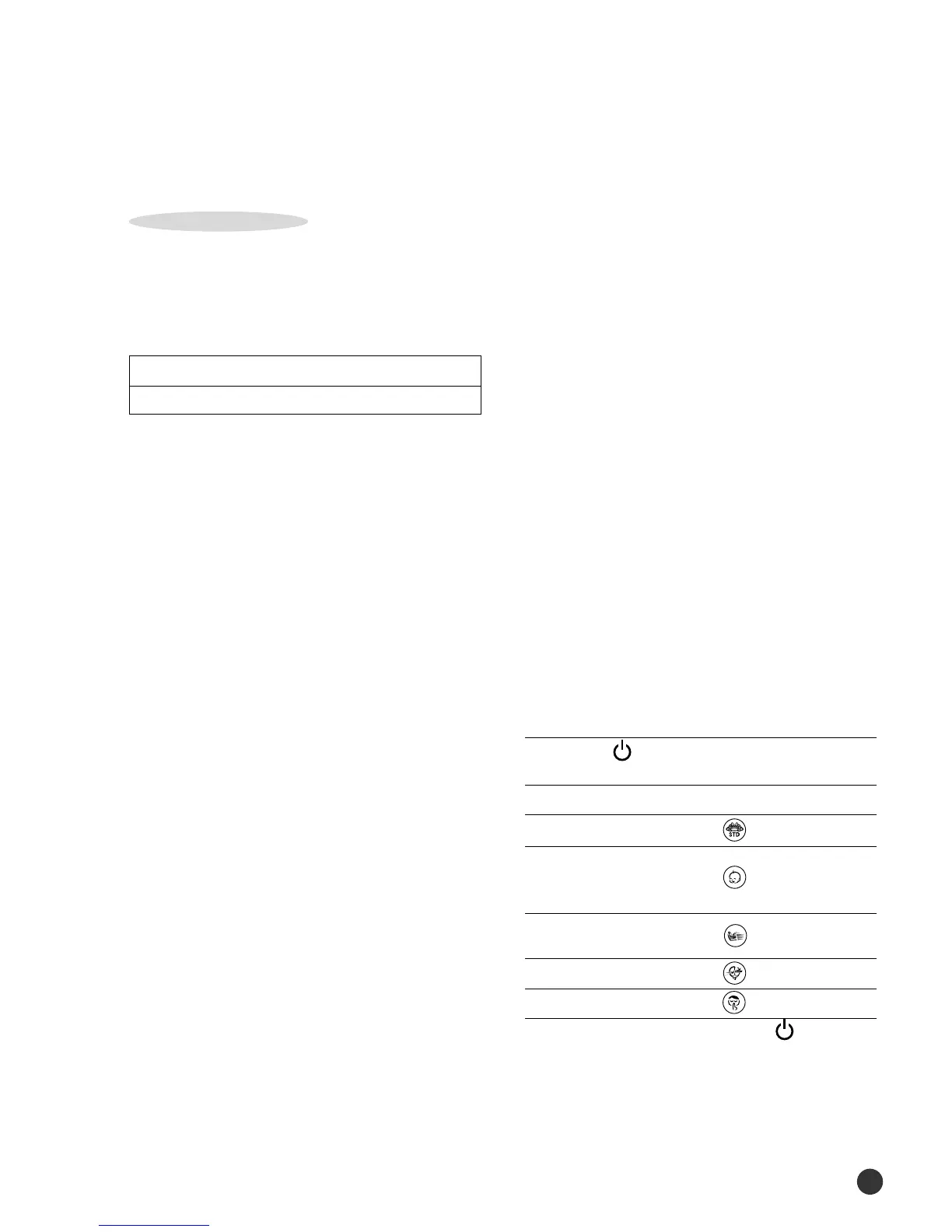
8. COMPULSORY OPERATION :
You can select the 5 Way function with
operating mode of the air conditioner for
more comfortable circumstances. You can
use the 5 Way function with the indoor unit
as well as the remote control. Thus, you can
use this function even though you have lost
your remote control.
Using with the indoor unit
◆
Press the (ON/OFF)button one or more
times until the desired mode is selected.
To obtain a(n)... Then select...
Normal operating (STANDARD)mode
Reducing the
uncomfortable (NATURE)mode
temperature swing
Stronger air-conditioner
(QUENCHING)mode
environment faster
Energy saving (SAVING)mode
Quiet environment (SILENT)mode
◆
To stop the operating, press the (ON/OFF)
button until all indicators turn off.
Note - Even if the air conditioner has been turned
on via the ON/OFF button, operations can still
be controlled using the remote control as usual.
Operation Type
Cool Operation (Set Temp:AUTO SETTING)
COOLING ONLY
00150A(2)-54~98 2/5/01 11:51 AM Page 56





 To Next Page