Using the removable storage(PC)
22
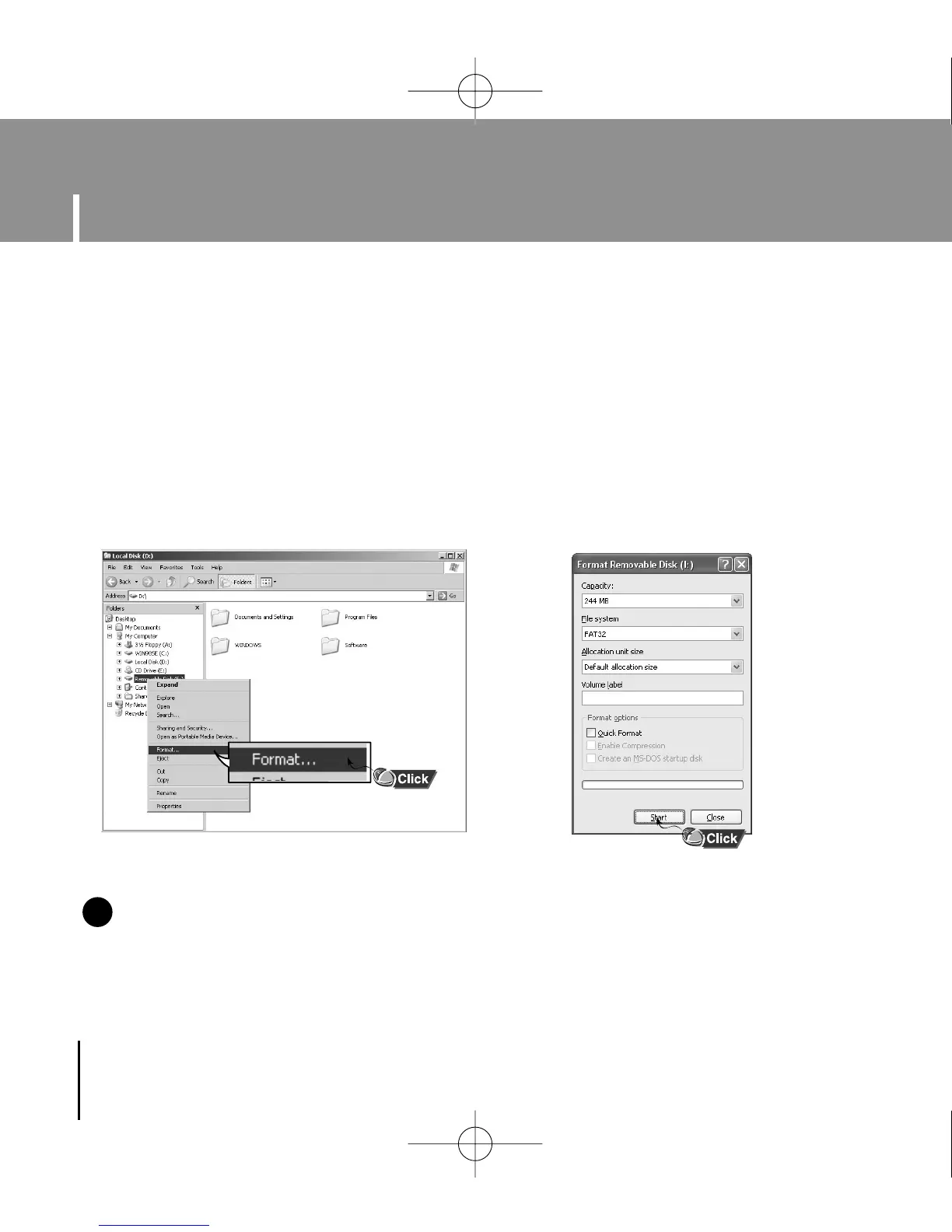
I Formatting the Player on your PC
1 Select the removable disc icon
and click the right mouse button
to select [Format].
2 Press the [Start] button.
● All saved files will be formatted.
● You can change the name of removable
disc by selecting [Volume label].
NN
NN
oo
oo
tt
tt
ee
ee
- By formatting, all previously preset menus will be reset, and any pre-existing song or
data files will be erased.
- Care must be taken as formatted files can not be recovered.
✍
Formatting deletes all files on the MP3 player so maximum memory is available for new file storage.
It saves you the trouble of deleting unwanted files one at a time.
YP-U1(SECA)Eng 8/22/05 3:22 PM Page 22



 To Next Page