Using Media Studio
28
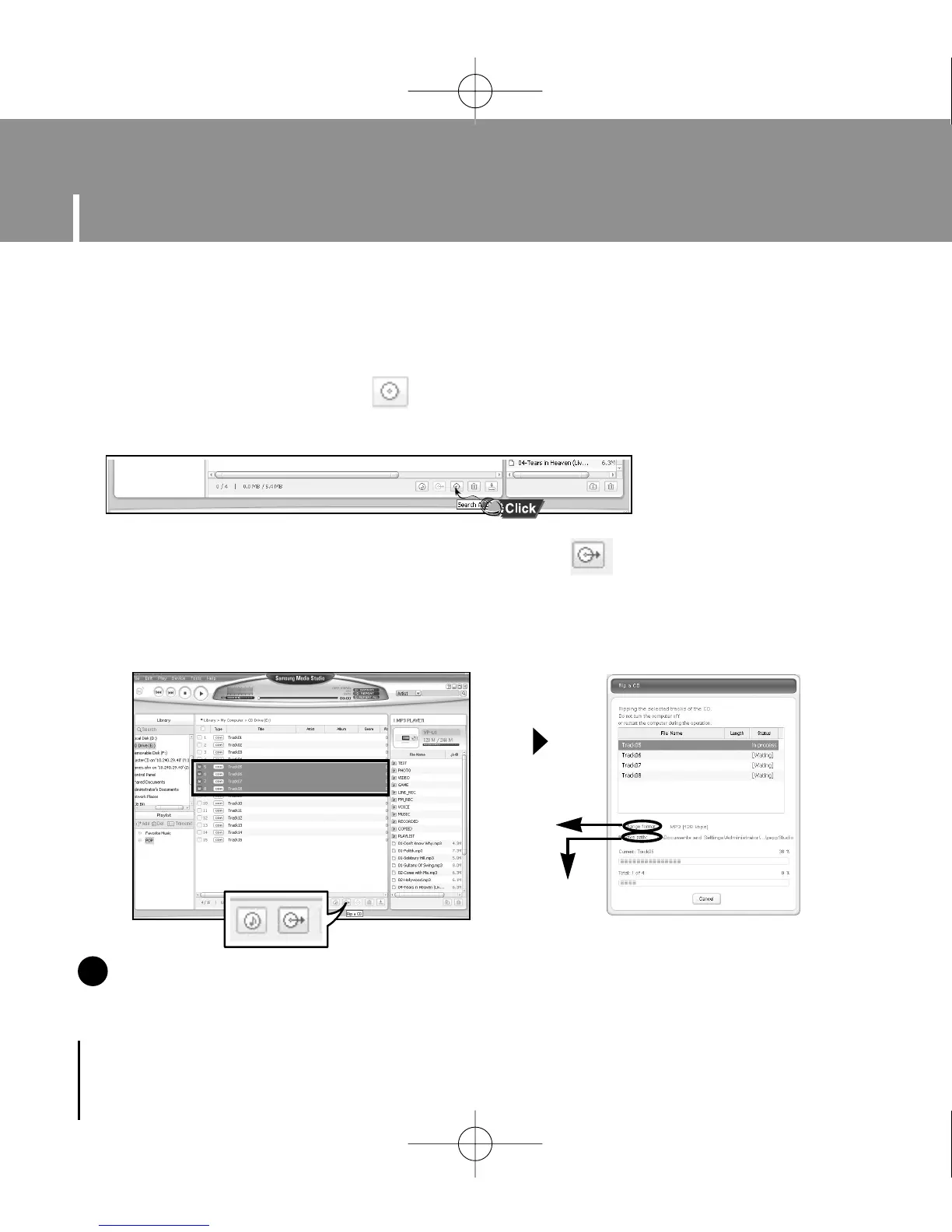
1 Insert your CD including tracks to rip into the CD-ROM drive of your PC.
2 Press the [Search Audio CD] button on the lower part of the screen.
●
The tracks on the CD are displayed.
3 Select tracks to be ripped and press the [Rip a CD] button.
●
The selected file is converted into an MP3 file.
●
Select [Tools]
→
[Audio Source Format Conversion Settings] on the top of
the screen to change rip settings.
I Ripping Tracks from an Audio CD
NN
NN
oo
oo
tt
tt
ee
ee
- Refer to [Help] for more detailed information.
✍
Change
format
Save path
YP-U1(SECA)Eng 8/22/05 3:22 PM Page 28



 To Next Page